
Close Menu

    Subscribe to Updates

    Get the latest creative news from FooBar about art, design and business.

    What's Hot

    Neverness to Everness – How to Unlock the Blue Flame Bike

    April 29, 2026

    Far Far West – All Correct Answers to Rules of the West Quiz

    April 29, 2026

    ARC Raiders – How to Use Dockmaster’s Detector

    April 28, 2026
    Facebook X (Twitter) Instagram
    TheGamesWatchTheGamesWatch
    • Guides
    • Features
    TheGamesWatchTheGamesWatch
    Home»Guides»Heartopia – Painted Furniture Quest Guide
    Guides

    Heartopia – Painted Furniture Quest Guide

    By Kirthana KJanuary 16, 20263 Mins Read

    Key Points

    • The quest will be given to you by Ka Ching after reaching D.G Member level 14.
    • For the quest, you get to customize your furniture with clip art.
    • You get to use the painting mode in the painting board to customize furniture.

    The customization options in Heartopia are endless. Besides customizing your character’s hair, you get to also add personal details to your clothes and furniture. Before you get into this, you need to level up and speak to Ka Ching to unlock a series of painting quests. Within these quests, the last quest, called Painted Furniture, will help you redecorate your furniture.

    Heartopia – Painted Furniture Overview

    Quest giverKa Ching
    Unlock levelLevel 14
    PrerequisitesComplete the Brushstroke Whimsy quest.
    Quest objectivesPrepare a piece of Joinery Furniture available for clipart.
    Apply the clipart to the furniture at the workbench.
    RewardsInk x5

    How to Start the Painted Furniture Quest
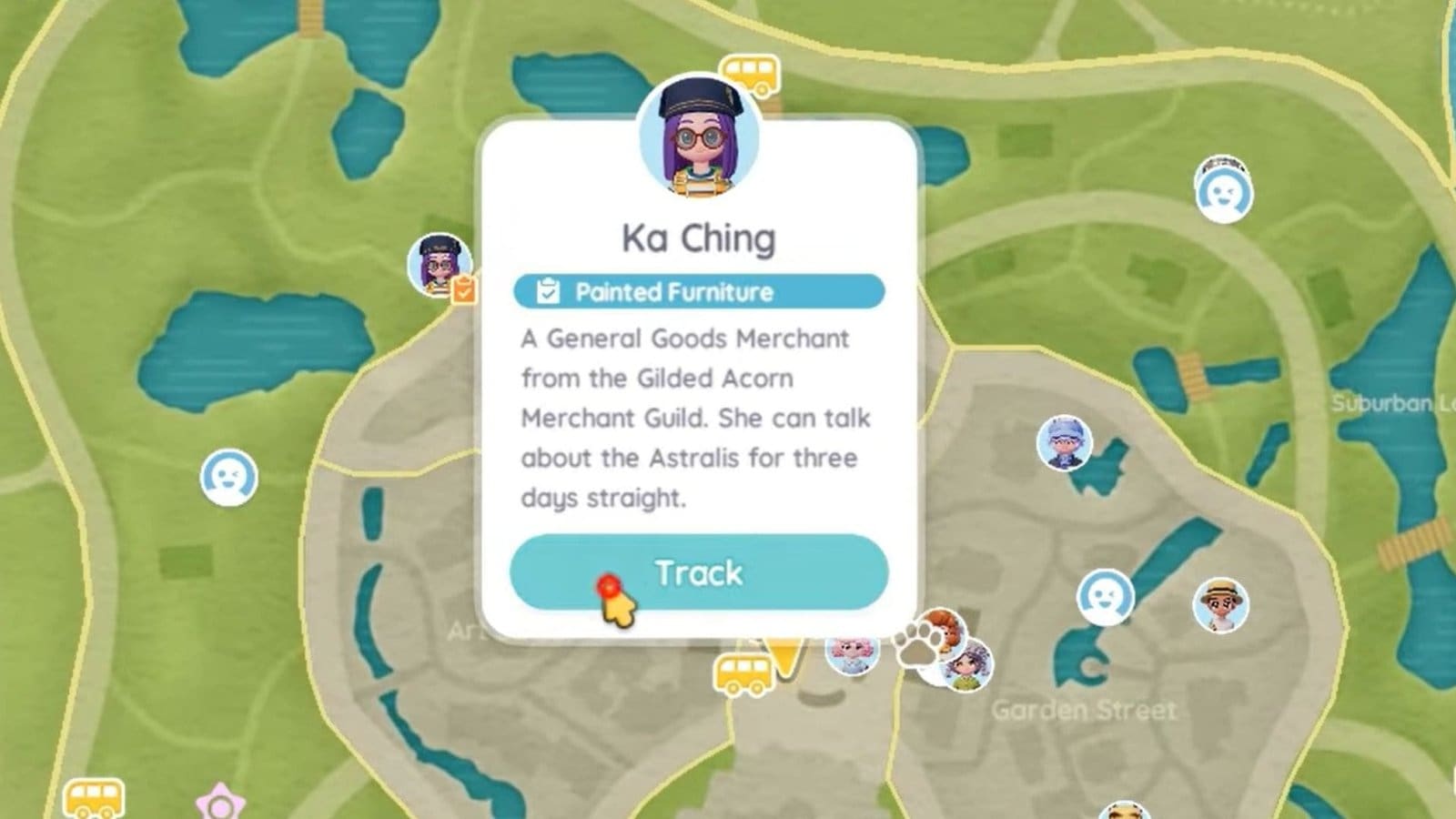
    Ka Ching Location Heartopia

    Speak to Ka Ching at the edge of Residential Street to start the quest. Before that, make sure that the Brushstroke Whimsy quest is completed, as this unlocks the painting board and related items. This quest is also handed to you by Ka Ching prior to the Painted Furniture quest. These quests unlock at D.G Member level 14.

    How to Complete the Painted Furniture Quest
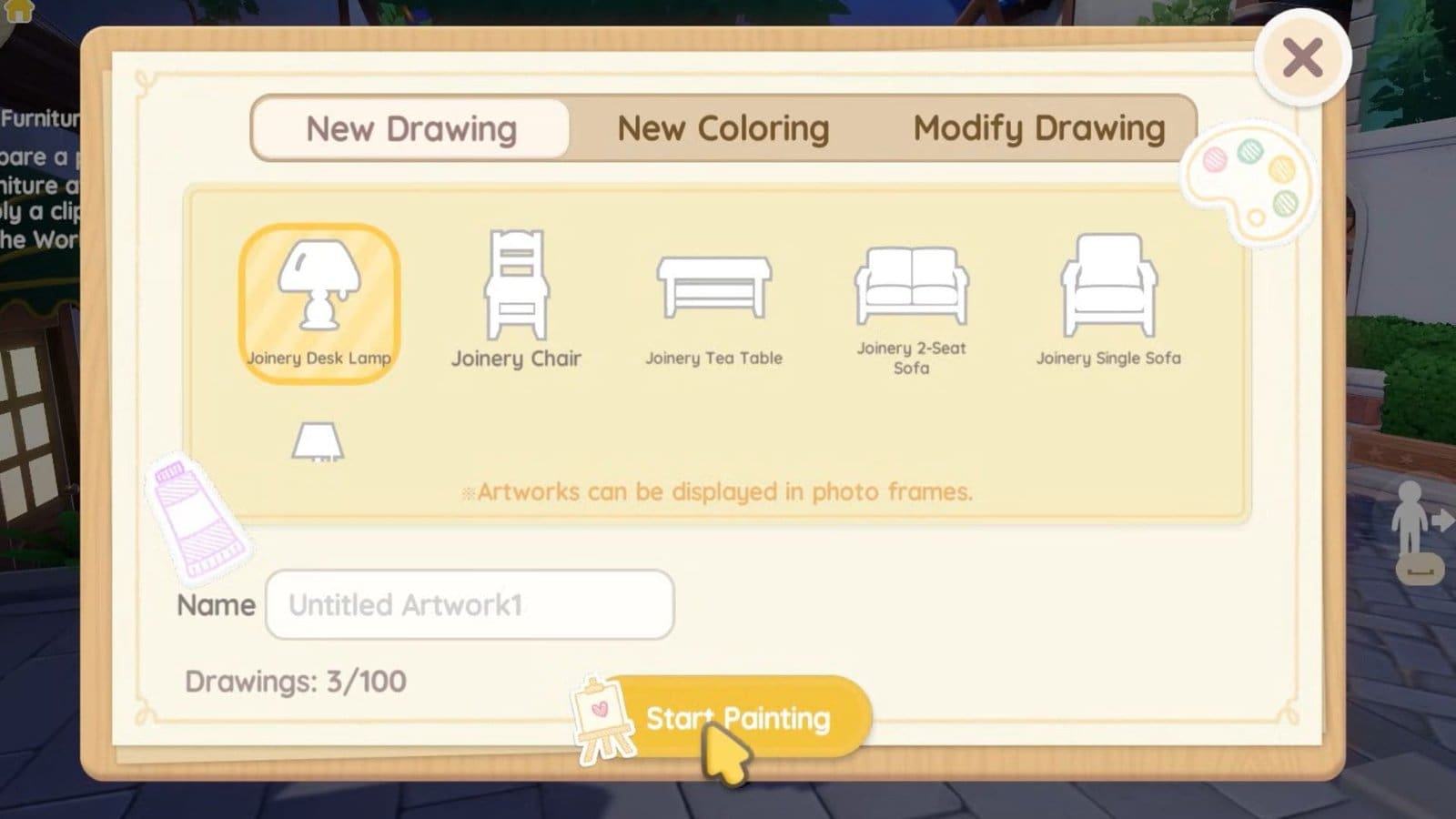
    Painted Furniture Quest Heartopia

    Ka Ching handed over some Ink after I accepted the quest from her. Then, I went over to my painting board to start painting furniture. To start painting furniture, follow the steps below.

    • The furniture should either be in your inventory or storage to make this work.
    • Next, interact with the painting board and select the paintbrush icon.
    • Create a New Drawing and select the furniture you wish to paint on.
    • After you are done drawing, save your image by clicking on the floppy disk icon in the top left corner of the painting board.
    • Then, go to the workbench and select the paintbrush icon.
    • Select the furniture of choice, then apply the clipart. This will consume 1x Ink.
    • Click on Confirm to save your edit, then speak to Bob to complete the quest.

    FAQs

    How do I get more Ink?

    You can purchase Ink from the General Store, but it will cost 50x Moonlight Crystals per Ink.

    What sort of furniture can I customize?

    For now, you get to customize only Joinery Furniture, so select only these furniture type to start customizing.

    Can I dye furniture?

    Yes, head over to the workbench and select any furniture you wish to dye. Ka Ching will sell dye for 100x gold, or you could also find dye randomly by popping blue bubbles.

    Heartopia
    Share. Facebook Twitter Bluesky Reddit WhatsApp Copy Link
    Avatar photo
    Kirthana K
    • Website
    • LinkedIn

    Her lifelong passion of gaming led her to writing about them, bringing words to life and compiling comprehensive game guides that are quick and easy to follow. If not writing, you can catch her exploring Teyvat or the Palpagos Islands.

    Related Posts

    Neverness to Everness – How to Unlock the Blue Flame Bike

    April 29, 2026

    Far Far West – All Correct Answers to Rules of the West Quiz

    April 29, 2026

    ARC Raiders – How to Use Dockmaster’s Detector

    April 28, 2026

    ARC Raiders – Line In The Sand Quest Guide

    April 28, 2026

    ARC Raiders Last Resort Guide – Where To Find Ship Models

    April 28, 2026

    ARC Raiders Avian Alarm Project – All Requirements & Rewards

    April 28, 2026
    EDITOR'S PICKS

    Neverness to Everness – How to Unlock the Blue Flame Bike

    April 29, 2026

    Far Far West – All Correct Answers to Rules of the West Quiz

    April 29, 2026

    ARC Raiders – How to Use Dockmaster’s Detector

    April 28, 2026

    ARC Raiders – Line In The Sand Quest Guide

    April 28, 2026
    DON'T MISS
    Guides

    Crimson Desert – How to Find the First Shai in Mystic Falls

    Kirthana K
    Guides

    Pokopia – Mysterious Feathers Guide 

    Jordan Blake
    Guides

    Octopath Traveler 0: How to get the True Ending

    Santosh Panda
    Guides

    Wuthering Waves 3.0 – All 5 Urban Legend Quests Guide

    Amar Deogaonkar
    Guides

    Where Winds Meet: Golden Sands River – All Antique Locations

    Santosh Panda
    Guides

    How to Solve the Mailbox Puzzle in Escape the Backrooms

    Santosh Panda
    Features

    Unbeatable First Impressions: An Imaginative Anime Infused Rhythm Game with a Shallow Demo Showcase

    Santosh Panda
    Guides

    Quarantine Zone: The Last Check – All 6 Poem Locations

    Kirthana K
    Guides

    Octopath Traveler 0 – How To Make Apple Pie

    Santosh Panda
    Guides

    Abyss Roblox – How To Complete Jungle Update

    Sagnik Adhikary
    © 2026 TheGamesWatch
    • Home
    • Our Authors
    • About Us
    • Privacy Policy

    Type above and press Enter to search. Press Esc to cancel.

    We use cookies to ensure that we give you the best experience on our website. If you continue to use this site we will assume that you are happy with it.