
Close Menu

    Subscribe to Updates

    Get the latest creative news from FooBar about art, design and business.

    What's Hot

    Fortnite: Save the World – How to Unlock Jess Quest

    April 18, 2026

    Tomodachi Life: Living the Dream – How to Raise Happiness

    April 18, 2026

    Tomodachi Life: Living The Dream – Can Miis Cheat?

    April 18, 2026
    Facebook X (Twitter) Instagram
    TheGamesWatchTheGamesWatch
    • Guides
    • Features
    TheGamesWatchTheGamesWatch
    Home»Guides»StarRupture – How to Deconstruct Buildings
    Guides

    StarRupture – How to Deconstruct Buildings

    By Kirthana KJanuary 8, 20262 Mins Read

    Key Points

    • Press F to bring up the Deconstruction mode.
    • Aim and hold down LMB on any structure you wish to dismantle.
    • All resources spent on its construction will be returned to your inventory.

    Since StarRupture is all about building an ideal base, you will bump into instances where you need to break down certain buildings to make space for something new. There is a way to destroy buildings in the game, but that requires some unique tools and a different method that’s opposite to building something.

    Read More: StarRupture – How to Distribute Power

    StarRupture Deconstruction Overview
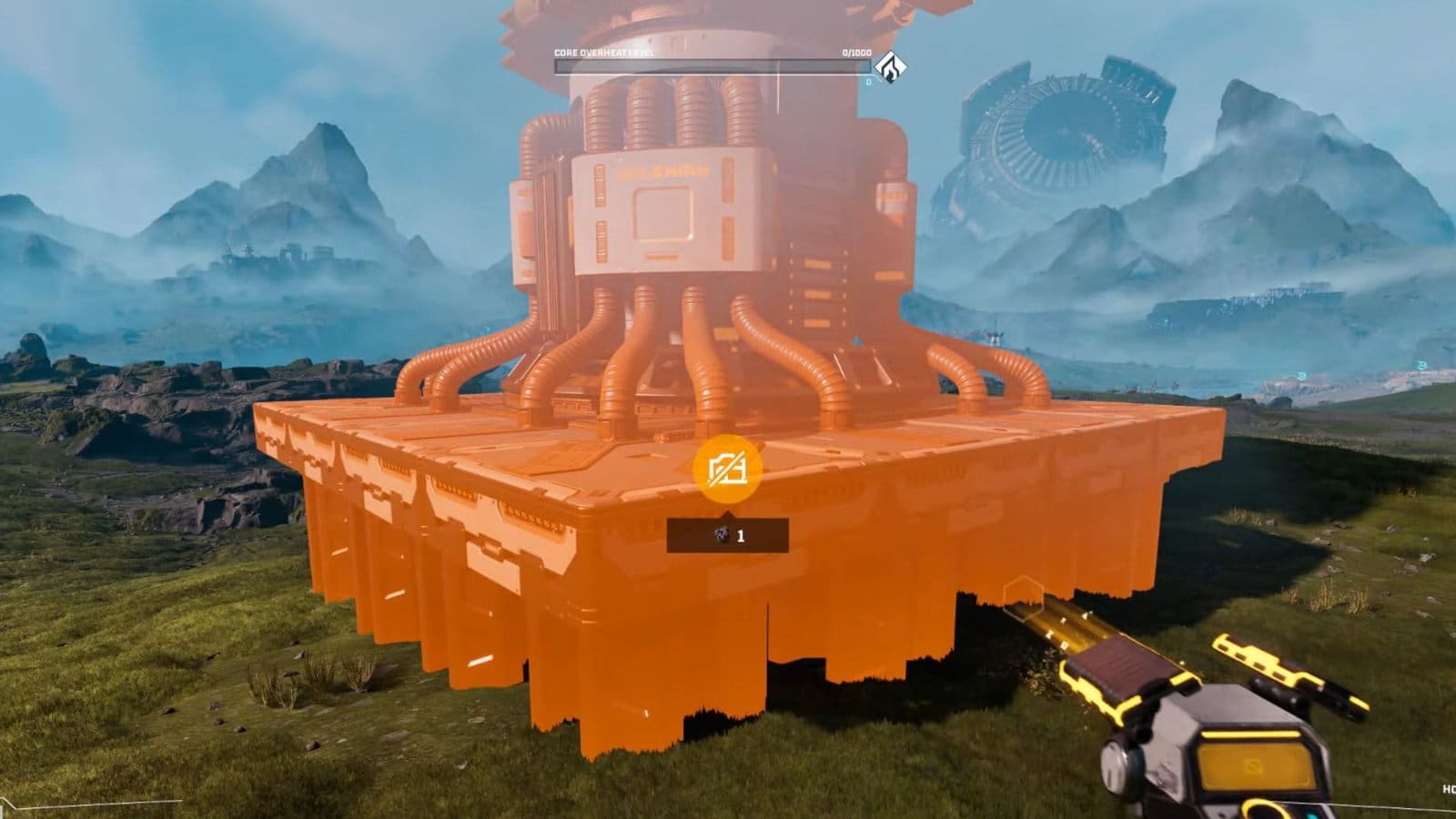
    Deconstruction Tool Starrupture
    Key/ ButtonPress F, then hold LMB
    How to useAim and hold down on the building to dismantle
    What it doesRemoves unwanted structures
    Used onAny structure and buildings made by the player

    How to Destroy Buildings – Step-by-Step Guide

    • Press the F key to enter the Deconstruction mode.
    • The handheld tool will change to a Deconstruction tool.
    • Aim at any structure that you wish to remove, then hold down the LMB.
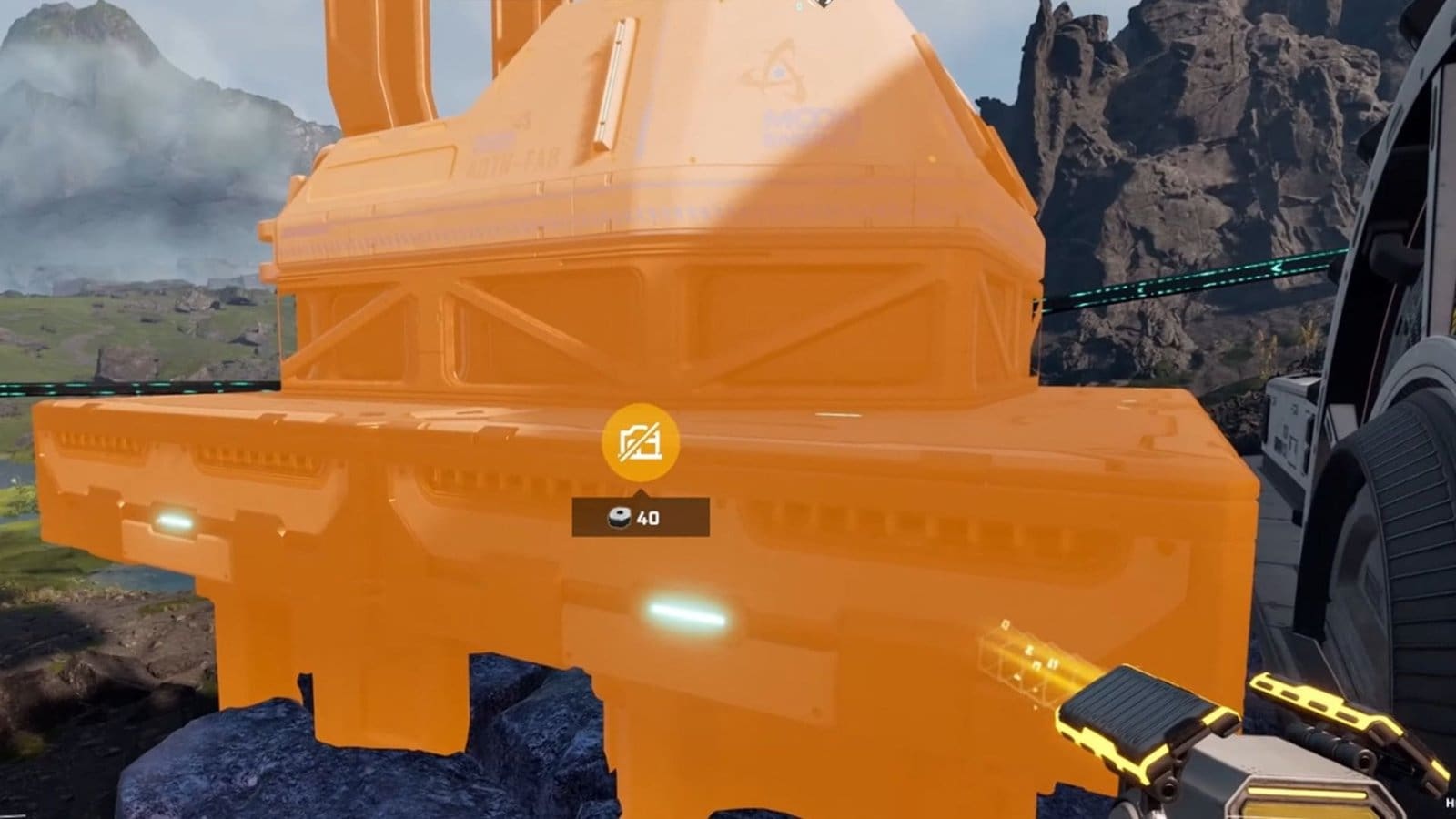
    • You will spot a circular timer that shows how long it will take to dismantle the structure. 
    • Keep holding down the LMB until the timer ends and the building is destroyed.
    • You will get all your resources back to your inventory.

    Read More: StarRupture – How to Increase Storage Space

    FAQs

    Can I move or edit buildings instead of destroying them?

    Currently, there is no option to move or edit existing buildings, so if you want to make changes to your base, you need to destroy the building first and rebuild to a new location.

    Do I get my items back from deconstructing?

    Yes, you will find all your spent items in your inventory after you destroy a building. You can also see the resources you will get from a building prior to dismantling them whenever you are in Deconstruction mode. 

    What structures can I destroy under Deconstruction mode?

    Anything that you have built, like rails and building structures, can be destroyed under Deconstruction mode. 

    Is there a limit for the amount of structures that I can deconstruct?

    No, you get to use the Deconstruction tool and dismantle as many buildings as you would like throughout the day.

    I’ve accidentally destroyed a building, what can I do?

    Since you will receive 100% of all your resources back from dismantling the building, you get to quickly rebuild the structure without wasting time.

    StarRupture
    Share. Facebook Twitter Bluesky Reddit WhatsApp Copy Link
    Avatar photo
    Kirthana K
    • Website
    • LinkedIn

    Her lifelong passion of gaming led her to writing about them, bringing words to life and compiling comprehensive game guides that are quick and easy to follow. If not writing, you can catch her exploring Teyvat or the Palpagos Islands.

    Related Posts

    Fortnite: Save the World – How to Unlock Jess Quest

    April 18, 2026

    Tomodachi Life: Living the Dream – How to Raise Happiness

    April 18, 2026

    Tomodachi Life: Living The Dream – Can Miis Cheat?

    April 18, 2026

    Fortnite – How to Unlock All Perfected Nature V-Bucks

    April 18, 2026

    Pragmata – All Mini Cabin Locations

    April 18, 2026

    Tomodachi Life: Living the Dream Romance Guide

    April 17, 2026
    EDITOR'S PICKS

    Fortnite: Save the World – How to Unlock Jess Quest

    April 18, 2026

    Tomodachi Life: Living the Dream – How to Raise Happiness

    April 18, 2026

    Tomodachi Life: Living The Dream – Can Miis Cheat?

    April 18, 2026

    Fortnite – How to Unlock All Perfected Nature V-Bucks

    April 18, 2026
    DON'T MISS
    Guides

    Quarantine Zone: The Last Check – How To Find Solomon

    Kirthana K
    Guides

    Monster Hunter Stories 3 – How to Synchro Rush

    Kirthana K
    Guides

    Alchemy Factory – How to Move Items (Including between Floors)

    Kirthana K
    Guides

    Alchemy Factory – How to Auto Purchase and Auto Sell 

    Kirthana K
    Guides

    YAPYAP – All Puzzles & How to Solve

    Kirthana K
    Guides

    Heartopia – How to Unlock Save Outfits Preset

    Kirthana K
    Guides

    Hytale – How To Install & Use Mods

    Jordan Blake
    Guides

    Pokémon Pokopia – How To Appraise Relics

    Sagnik Adhikary
    Guides

    Where Winds Meet Nine Mortal Ways – All Old Friends Locations

    Jordan Blake
    Guides

    MENACE – How to Improve Manpower

    Kirthana K
    © 2026 TheGamesWatch
    • Home
    • Our Authors
    • About Us
    • Privacy Policy

    Type above and press Enter to search. Press Esc to cancel.

    We use cookies to ensure that we give you the best experience on our website. If you continue to use this site we will assume that you are happy with it.