

Key Points
- Mistfall Hunter supports 3-player co-op gameplay.
- You can add friends after completing the game’s tutorial.
- Make your way to the Teams menu to start adding friends or accepting friend requests.
Mistfall Hunter allows co-op play, which is a great way to tackle the harder sections of the map. If you are still new to the game, you may not know how to add your friends. Luckily, the process is quite simple and doesn’t require a lot of searching.
Read More: Mistfall Hunter – How to Investigate the Designated Location
Mistfall Hunter – Co-op Multiplayer Guide
| Co-op play allowed | Yes |
| Matchmaking allowed | Yes |
| Max players in a team | 3 |
Co-Op Multiplayer Guide
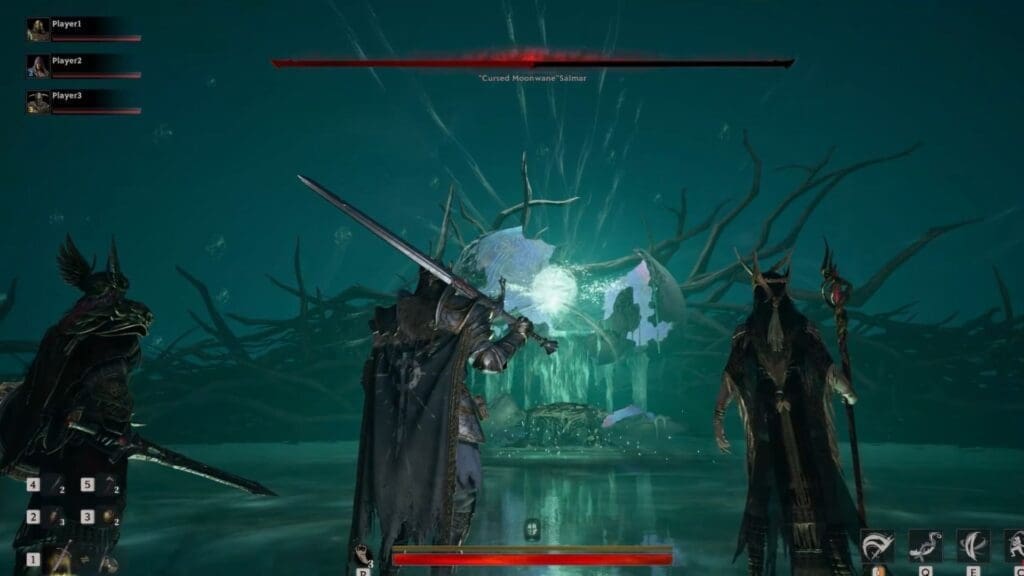
Before joining a match, you can add your friends to play in a group. If you haven’t invited anyone or obtained an invite yet, then there are a couple of steps you need to follow before you get to this point. First, progress through the main story until you complete the tutorial and unlock the main base.
After that, I too had a hard time trying to find a way to add friends, until I paid attention to the options on the screen. Check the top left corner to find your username. You will spot an icon right beside it, which is the right arrow on the D-Pad for controllers. This will bring up the Teams screen, and right below it are two options: Teams and Recruitment Hall.
How to Add Friends in Teams
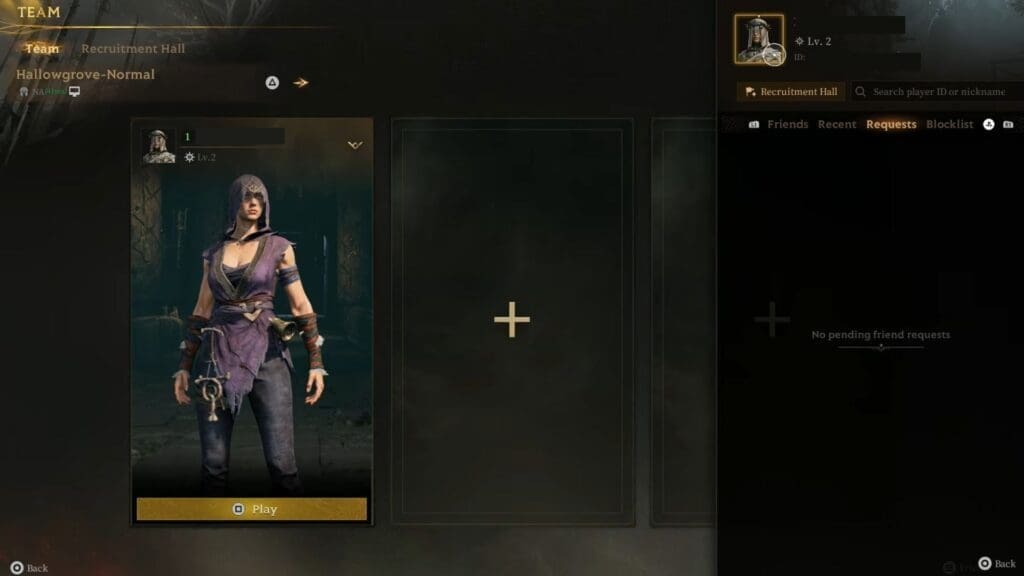
- At the bottom right corner of the Teams menu is the Friends List icon.
- Press the respective button for it, and it will take you to another window on the side. You can scroll through four different options: Friends, Requests, Recent, and Blocklist.
- Press the Friends option, and you will spot a search bar. Input your friend’s ID or username to find them. It’s easier to add their ID rather than their username, so you won’t get confused.
- You can also use the Requests tab to check all your recent invites, or press the Recent list to find all your recently added friends.
How to Add Friends in the Recruitment Hall
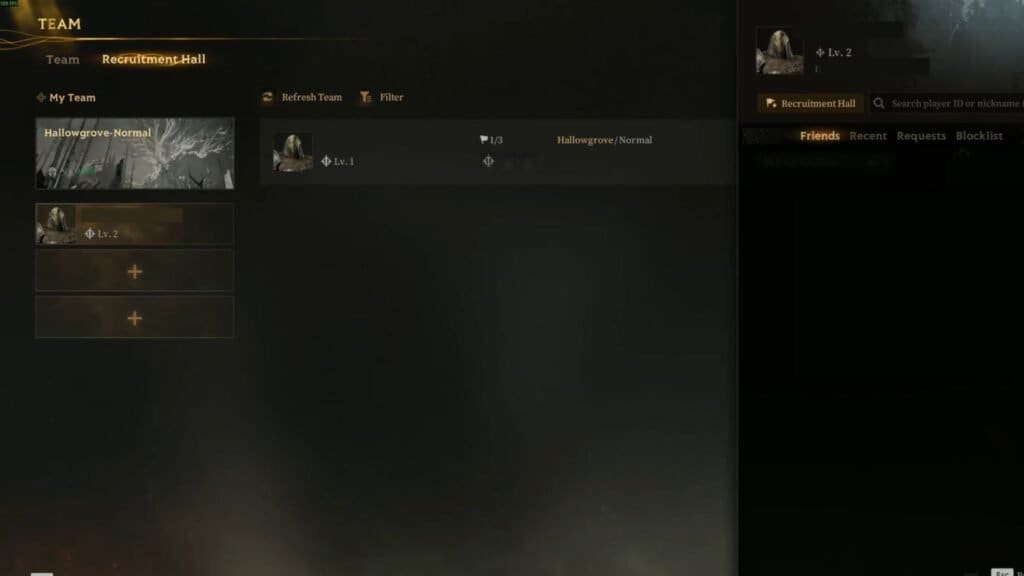
The recruitment hall works similarly to Teams. Click on the Plus icon below your username on the left, and it will bring up the screen to add friends. You can add them through the same method of using Teams. If you have their username or ID, add it to the search list to add them.
You can also post a team recruitment to accept people into your team. To do that, hit the Post Recruitment option. You will be taken to a new menu, where you get to select your map, preferred class, difficulty, and more. Click on the Post Recruitment option again once finalized, then wait for someone to accept your invite.
Read More: Mistfall Hunter – How to Escape Successfully
FAQs
Is auto-matchmaking available?
Yes, if you want to be set up with a random team, interact with the boat, and select the Explore option. Then, click on Trio mode and select the map. Hit the Play option, which will start the matchmaking process.
Can I play with friends from different servers?
Currently, you can only play with friends within the same server and not with players from different servers.
How do I let my friends add me?
After loading the Teams menu, check your profile to find your player ID. Copy the ID and send it to your friends, then check the Requests tab to find any recent requests.
