
Close Menu

    Subscribe to Updates

    Get the latest creative news from FooBar about art, design and business.

    What's Hot

    How To Get Faith in Graveyard Keeper 2

    September 19, 2026

    How to Get a Fishing Rod from Twins in Graveyard Keeper 2

    September 19, 2026

    How To Cure Insanity in Graveyard Keeper 2

    September 18, 2026
    Facebook X (Twitter) Instagram
    TheGamesWatchTheGamesWatch
    • Guides
    • Features
    • Game Hubs
    TheGamesWatchTheGamesWatch
    Home»Guides»Tournament Guide in TCG Card Shop Simulator
    Guides

    Tournament Guide in TCG Card Shop Simulator

    By Kirthana KSeptember 16, 20263 Mins Read

    ​Key Points​

    • You can start tournaments after purchasing the Tournament Prize Shelf from the DIY store.
    • Once purchased and placed, you can arrange decks or certain cards to be handed over to the winners.
    • After that, add participants and the entry ticket price, then wait until the next day for the tournament to start.

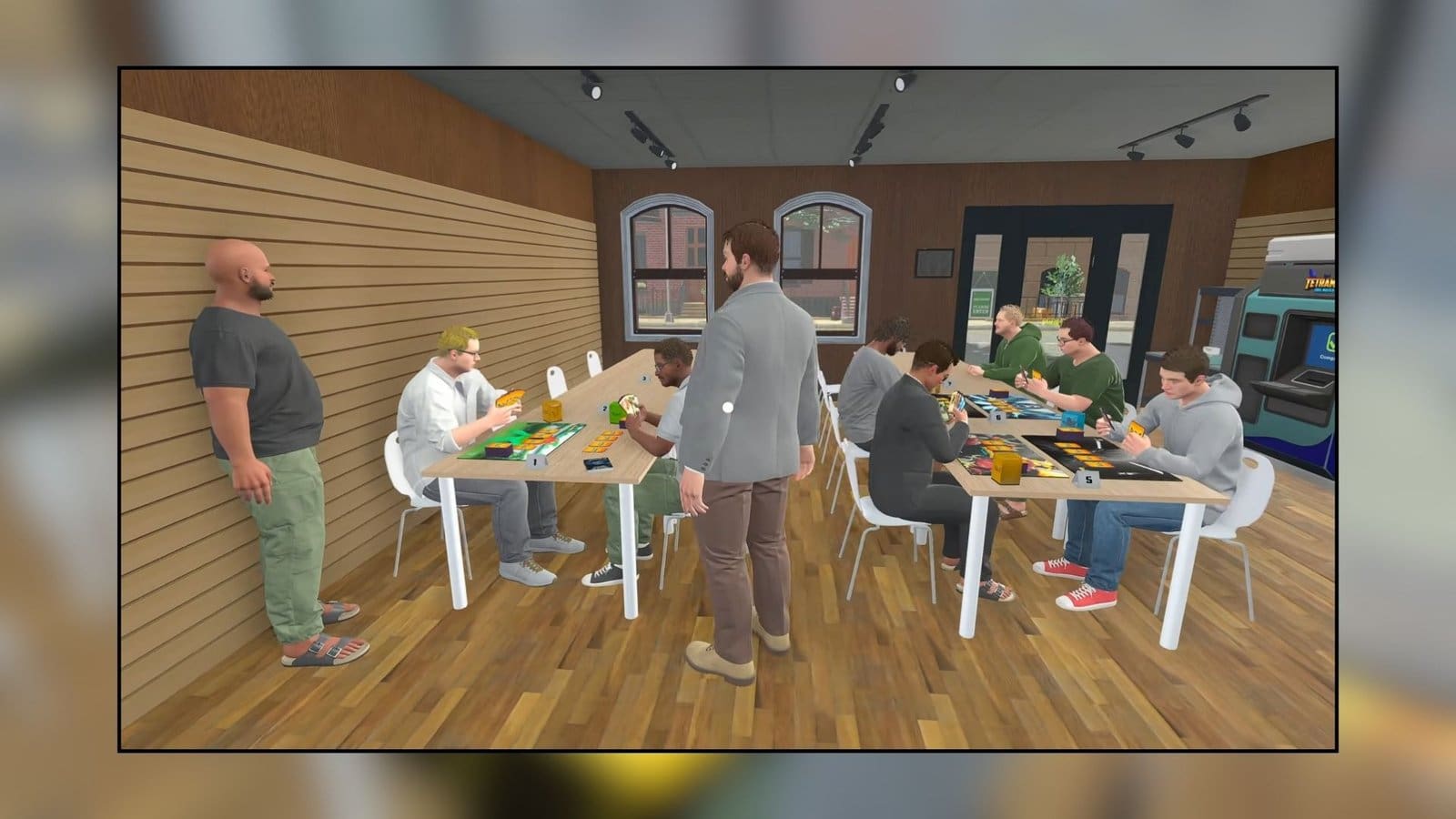
    TCG Card Shop Simulator is a lot more than running your ideal card store. To make things more fun, you can start tournaments and invite participants to your store to play. This is a fun way to draw more traffic to your store, and you can earn a bit of money here too.

    ​TCG Card Shop Simulator – Tournaments Overview​

    RequirementTournament Prize Shelf
    Cost$5000
    How to getPurchase from the DIY store

    ​How to Start Tournaments

    Image via TheGamesWatch

    ​Starting tournaments in TCG Card Shop Simulator is pretty simple, but you need to get the right equipment first. Head into the My DIY store on your phone and purchase this will set you back by $5000. Once the Tournament stand has been placed in your store, you need to purchase new card decks. Wait for the box to arrive, then set up all the decks in the racks.

    ​This will be considered the prizes for the contestants who win. You can place different prizes on different racks and even assign them to rankings. Click on the TV and select which card will be handed over to which rank under the Tips Card menu. You can also click the Setup option next to each rank to select a deck or card to place against a rank.

    ​How to Set Up for a Tournament

    Image via TheGamesWatch

    ​Next, you can set the player count for the number of people to attend the tournament in TCG Card Shop Simulator and also add the entry fee. Once the setup is completed, you can click on the Start Registration option. You can also join the tournament yourself after that or cancel the tournament if you wish. The total prize amount will also be mentioned in the bottom right corner. I suggest adding some very valuable cards or decks to draw in more people to your tournament.

    ​The next step is to set up your participants’ tables by heading over to the tables nearby and left clicking it. You can set the table number for the tournament according to the participants allowed, or you can let the auto assigner to do the job. This is the final step in setting up the tournament, and all you need to do is wait for the event to start and watch people participate in it.

    ​FAQs​

    How many rounds are there in a tournament?​

    There are typically three rounds in a tournament, and you can view the rounds and the winners by checking the TV.​

    Why can’t the participants pick up the prizes?​

    If there is something blocking the way to the prize rack, then the participants can’t navigate to it. This is also a pretty common bug, so you could restart the game and try starting a tournament again. You could also relocate the tournament stand to another location to see if it helps.​

    What’s the max number of players to participate in the Tournament?​

    You can create a tournament with 32 players at max capacity, and also set the table to accommodate that many players.​

    TCG Card Shop Simulator
    Share. Facebook Twitter Bluesky Reddit WhatsApp Copy Link
    Avatar photo
    Kirthana K
    • Website
    • LinkedIn

    Her lifelong passion of gaming led her to writing about them, bringing words to life and compiling comprehensive game guides that are quick and easy to follow. If not writing, you can catch her exploring Teyvat or the Palpagos Islands.

    Related Posts

    How To Get Faith in Graveyard Keeper 2

    September 19, 2026

    How to Get a Fishing Rod from Twins in Graveyard Keeper 2

    September 19, 2026

    How To Cure Insanity in Graveyard Keeper 2

    September 18, 2026

    How to Get Zombies in Graveyard Keeper 2

    September 18, 2026

    How to Get More Customers in TCG Card Shop Simulator

    September 18, 2026

    How To Cleanse Smelly Customers in TCG Card Shop Simulator​

    September 17, 2026
    EDITOR'S PICKS

    How To Get Faith in Graveyard Keeper 2

    September 19, 2026

    How to Get a Fishing Rod from Twins in Graveyard Keeper 2

    September 19, 2026

    How To Cure Insanity in Graveyard Keeper 2

    September 18, 2026

    How to Get Zombies in Graveyard Keeper 2

    September 18, 2026
    DON'T MISS
    Guides

    Gothic 1 Remake – Where to Find Grapes

    Kirthana K
    Guides

    Windrose – How To Increase Rested Bonus Time

    Jordan Blake
    Guides

    StarRupture – How to Deconstruct Buildings

    Kirthana K
    Guides

    Pokémon Pokopia – How To Get Wireless Electricity

    Sagnik Adhikary
    Guides

    Half Sword – How to Get & Use the Crossbow

    Kirthana K
    Guides

    RE9 – Where To Find Victor’s Office

    Jordan Blake
    Guides

    Moonlight Peaks – How to Romance Sabrina

    Kirthana K
    Guides

    Roadside Research – How to Improve Customer Satisfaction

    Kirthana K
    Guides

    Pokémon Pokopia – How to Skip Time

    Kirthana K
    Guides

    ARC Raiders – Dust on the Wires Quest Guide

    Sagnik Adhikary
    © 2026 TheGamesWatch
    • Home
    • Our Authors
    • About Us
    • Privacy Policy

    Type above and press Enter to search. Press Esc to cancel.

    We use cookies to ensure that we give you the best experience on our website. If you continue to use this site we will assume that you are happy with it.