
Key Points
- The Transport Drone is the best way to get materials across the map.
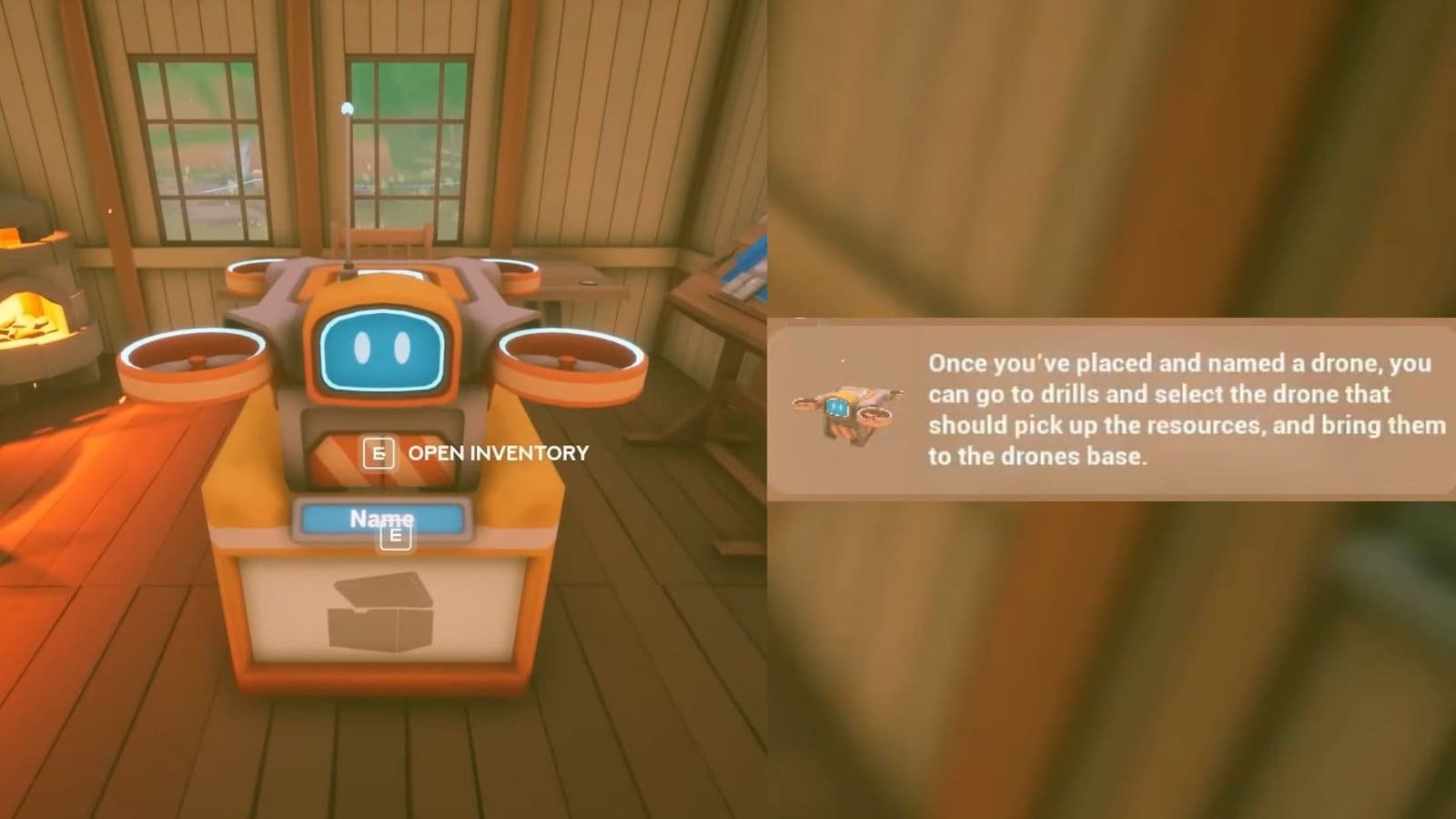
- You can assign a drone to a drill to collect and bring materials back to base.
- The Transport Drone blueprint is unlocked at the Traderbot’s workbench and requires a Tier 3 upgrade.
Solarpunk focuses a lot on self-sufficiency, so you need to work your best to balance out the necessities for the early game. Later on, you don’t need to run around to collect resources, as you can assign bots to do all the heavy lifting.
Read More: Solarpunk – How to Cultivate Farmland
Solarpunk – Transport Drone Overview
| Unlock requirement | Tier 3 at the Traderbot workbench |
| Required blueprints | 5 |
| Use | Collects resources from drills and brings them back to base |
How to Get the Transport Drone

The Transport Drone is unlocked once you reach Tier 3 on the research bench at the Traderbot Base. The Traderbot Merchant is a marked POI on the map that is discoverable after unlocking the map and the Airship. Use this structure to find the Traderbot and interact with the workbench at their base. You will find several Research tiers that you need to unlock. The only way to unlock the next tier is to unlock all the research of the previous tiers.
Now, as I mentioned above, you need to reach Tier 3 to unlock the Transport Drone. So work through the first two tiers until you unlock all the research options for Tier 3. Then, you need to spend 5 Blueprints to unlock the Transport Drone. If you don’t have enough blueprints to unlock it, visit the Merchant and start trading items to get blueprints.
How to Craft the Transport Drone

After unlocking the Transport Drone blueprint, visit the Energy Crafting Bench to start crafting electronic items. Select the Transport Drone here to craft it. It will require the following materials to craft a Transport Drone.
- 8x Cobalt
- 16x Iron
- 16x Copper
- 16x Silicone
Since these are late-game resources, you will require a level 3 upgraded Aircraft. Then, visit the above-marked islands to find the required nodes. Cobalt is obtained from Cobalt Nodes, Iron from Stone Nodes, Copper from Copper Nodes, and Silicon from Quartz Nodes. Use the pickaxe or drill to get the required ore, then toss it in the furnace to get the required item. Then, head back to the crafting bench to craft and set down a Transport Drone.
How to Power Up the Transport Drone

After placing the Transport Drone down at your base, you need to power it up to get it to work. By now, you should have some efficient source of energy, either by a windmill, a waterwheel, or solar panels. Then, you need to craft and set down a Wireless Power Base. Connect the Power Base with the Transport Drone and wait for it to activate. You can also name your drone during this time.
How to Use the Transport Drone

Head over to any mining site and interact with the drill or storage chest there. This will show you a pop-up of items being collected, and another menu beside it showing you the list of active transport drones. Select the drone from the list to assign it to pick up and drop the collected resources back to base.
Once the drone has returned, interact with it to pick up all the items it has collected from the mining base. After emptying the drone, it will fly back to its assigned site to pick up more resources. If you would rather set a time for them to fly and work, attach a power lever that is connected to the drones and the power source. If the power is on via the lever, the drones will work; they will stay stationed at their base.
FAQs
The drone menu doesn’t appear for me when I interact with the drill or chest. What do I do?
This is a common bug that occurs in the game. All you can do for now is to quit and restart the game, then try again to get the menu to appear.
Are there other ways to transport materials?
Currently, using the Transport Bot is the best way to send materials across from various mining sites.
Can I upgrade the transport drone inventory slots?
Yes, you can unlock more inventory slots for the transport drone by using the required material listed when interacting with the drone’s menu.
