
Key Points
- You can link your 2K account to your required device via the official website.
- Linking accounts will give you access to several online features.
- You need to use the correct login credentials to access the game.
In WWE 2K26, you now get some new online features that let you customize matches or try co-op. But before jumping into that, you are required to link your 2K account with the game to access all these features. If you are new to the game or having trouble with navigating this feature, the steps to link accounts are rather simple.
How to Link 2K Account to WWE 2K26
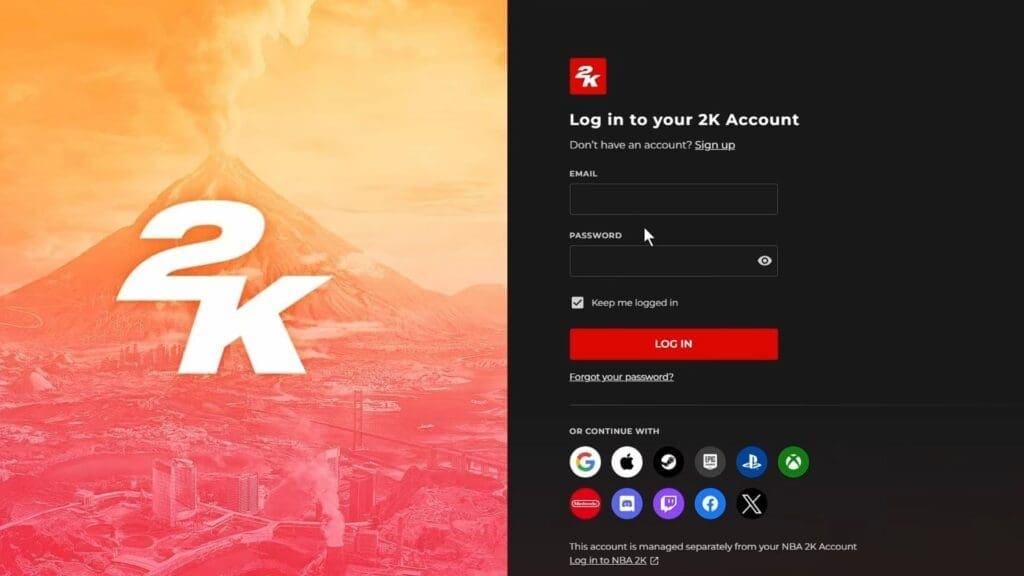
- The first step I had to do was head over to portal.2k.com.
- Over here, either use the sign up or log in option to use a 2K account.
- An email account is required for first time users. Since I was not a new user, I could use my existing 2K account using the email and password I had set up.
- Under the Account Overview, I selected the Connections option.
- This showed a list of all available devices where I could link my 2K account.
- It is recommended to use the same device used to play WWE 2K26 on.
- Once the required device was selected, all I had to do was log in to that device using my credentials.
How to Fix 2K Account Linking Error (Steam, PS, Xbox)
If you get the notification that your Steam/ PlayStation/ Xbox account is already linked to your 2K account, even if you haven’t, then there is an easy fix for this.
- I found that logging out of all my 2K game accounts, such as WWE 2K25, was the first step in helping fix this issue.
- Visit the portal.2k.com website and select the Steam/ PS/ Xbox log-in option on the main page, right below the log in or sign up option.
- After using my log-in, I selected the Connections tab under Account Overview.
- Over here, I cross-verified my linked accounts to check if this is the same account I use to play WWE 2K26 in.
- Once checked and corrected, all I had to do was restart my system and load the game to get the linked account to work with WWE 2K26.
How To Update a 2K Account
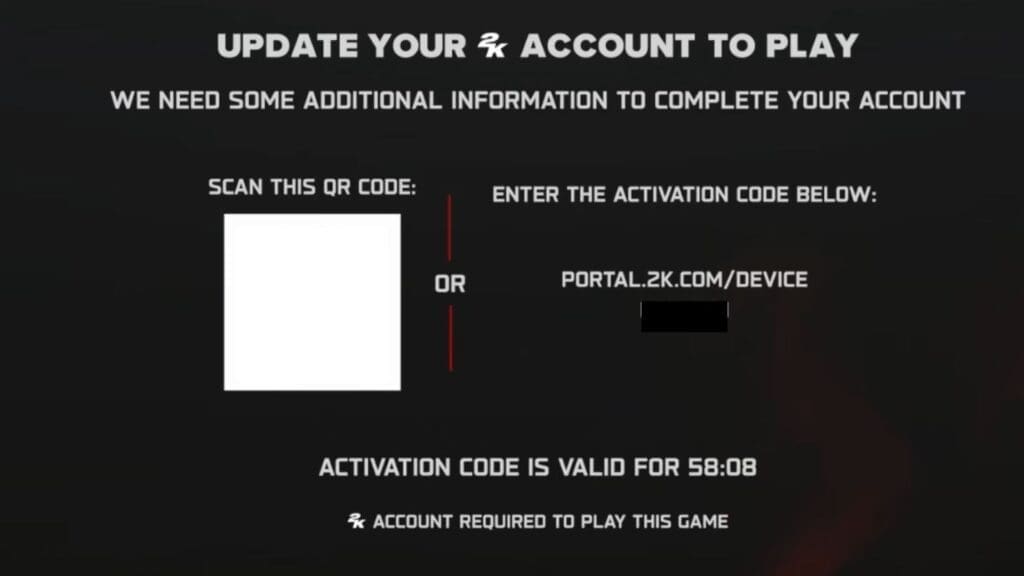
While trying to play online, if you get a screen to update your 2K account, then you need to follow the steps below.
- Instead of scanning the QR code given, I copied the activation link instead and pasted the URL in my browser. I found it more efficient to do this on my PC rather than on my phone or console.
- Running the URL will show an error page within the 2K website.
- When that happens, select the log-in option at the bottom of the screen.
- In the login screen, it is preferred to use the device icons below, depending on the platform used to play the game in.
- Once logged in, I was taken to the update page, where I updated my info.
- The next step involves logging into your 2K account. If you don’t remember your account details, visit portal.2k.com and click on the Forgot Password option to get the password sent to your email.
- Once logged in, all I had to do was follow through with the rest of the steps on the screen to complete my profile updation process.
FAQs
What will linking my 2K account do?
This will enable online features like co-op and custom matches, checking other custom match layouts, and more.
I forgot my 2K log-in credentials. What do I do?
Use the Forget Password option or log in using the other methods available under the log-in section. You might need to relink your account to the device if you are choosing a new log-in method.
How do I create a 2K account?
Click on the link given above and select the Sign Up option. Over here, use an email and password that is easy to remember, or select any of the device options mentioned on the screen. Then, supply all your relevant details to create an account.
I can’t log in to my 2K account. What do I do?
It could be server issues, so try again later or restart your system.
How do I unlink my account from my device?
After logging in to your 2K account on the website, navigate to the Connections option under Account Overview. Select the Disconnect option under the device you wish to unlink to remove your 2K account.
