
Close Menu

    Subscribe to Updates

    Get the latest creative news from FooBar about art, design and business.

    What's Hot

    MHS3 – Find the Regalfin

    March 15, 2026

    Marathon – How to Slide Cancel

    March 15, 2026

    WWE 2K26 – How to Link 2K Account

    March 15, 2026
    Facebook X (Twitter) Instagram
    TheGamesWatchTheGamesWatch
    • Guides
    • Features
    TheGamesWatchTheGamesWatch
    Home»Guides»Quarantine Zone: The Last Check – Sunbathing Mission Guide
    Guides

    Quarantine Zone: The Last Check – Sunbathing Mission Guide

    By Kirthana KJanuary 15, 2026Updated:January 15, 20263 Mins Read

    Key Points

    • You will be introduced to the Sunbathing mission during Day 19.
    • For the mission, you need to use the newly implemented UV Tower to scan suspects.
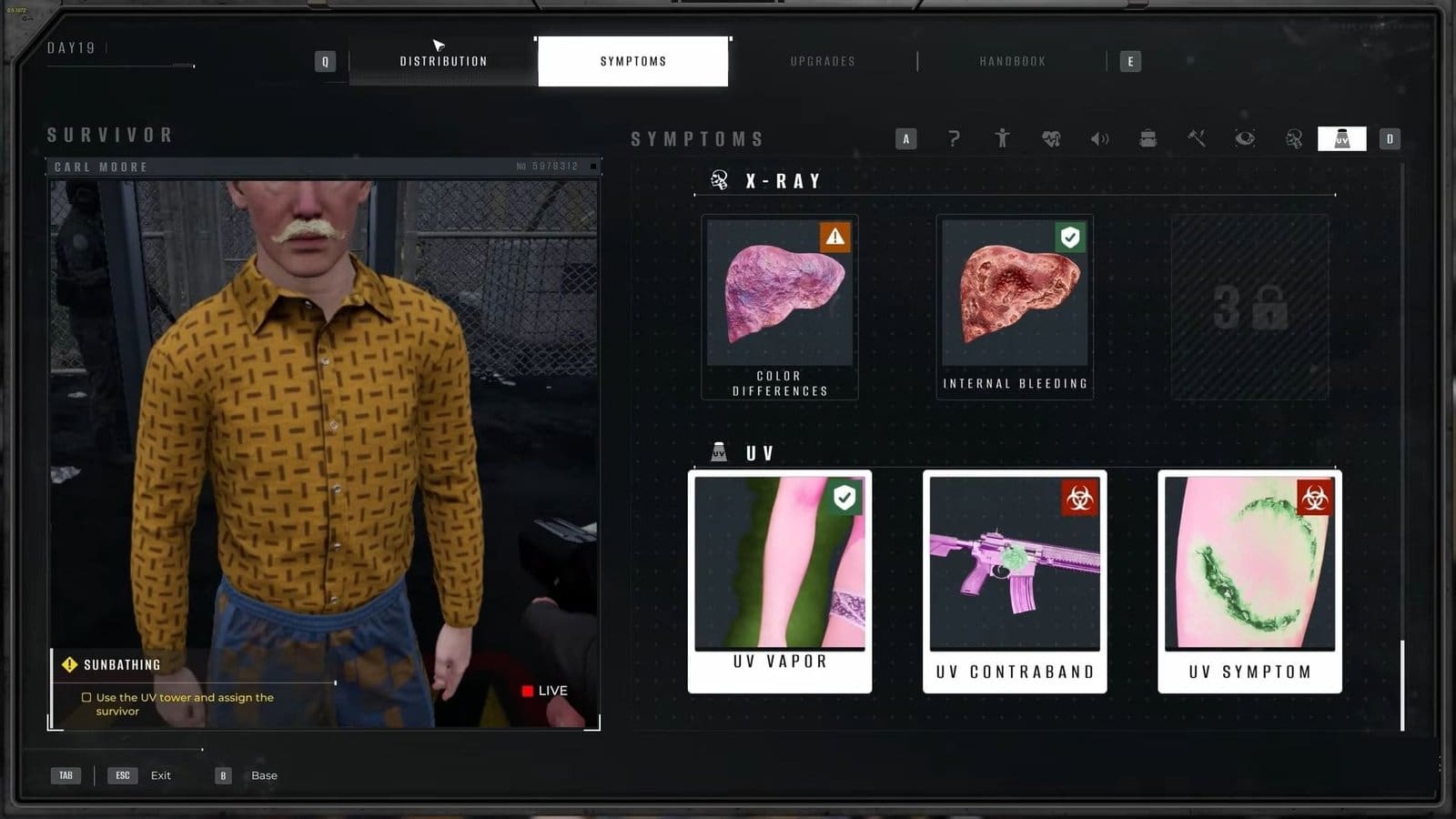
    • When using the Tower, you must select the UV symptom in conjunction with the actual symptom to make it work.

    Some of the missions in Quarantine Zone: The Last Check do not imply what needs to be done. You might have to figure out most of the objectives on your own, and that applies while trying to complete the Sunbathing mission. For the mission, you are tasked with learning how to use the UV Tower; however, noticing symptoms while using it can be tricky for the inexperienced.

    Read More: Quarantine Zone: The Last Check – How to Use the X-Ray Machine

    Quarantine Zone: The Last Check – Sunbathing Mission Overview
    UV Tower Sunbathing Mission Quarantine Zone The Last Check
    Mission unlock dayDay 19
    Mission objectiveUse the UV Tower to assign the survivor
    Mission durationNone
    Mission rewardNone

    Sunbathing Mission Guide

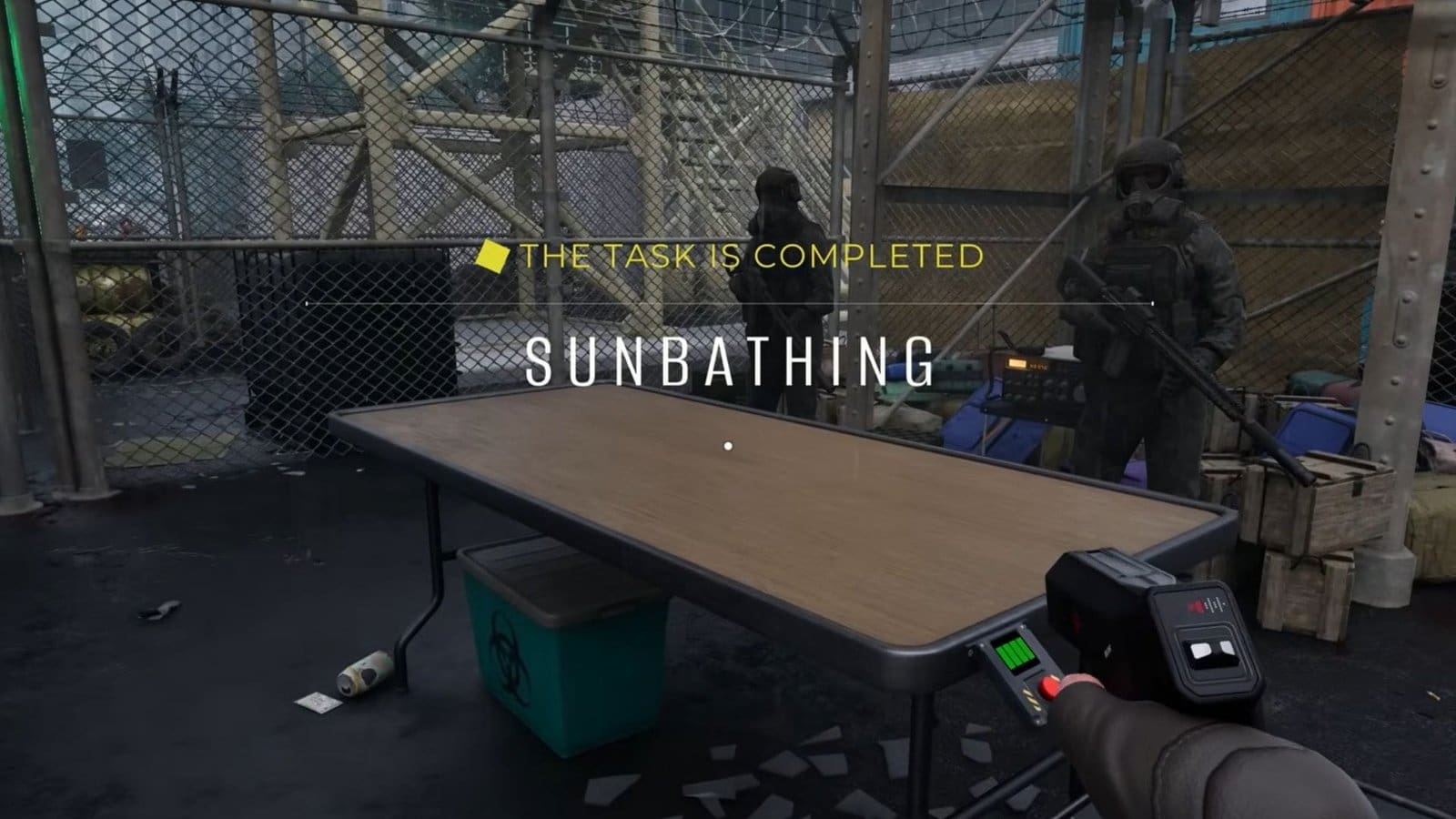
    After talking to Georgie, seated near the check-in, I was tasked with using the newly installed UV Tower. The Tower itself is just a metal frame with a UV lamp overhead. While survivors walk through the gate, they will stand on the marked area on the floor. This will be right under the large UV Lamp overhead.

    Using the UV Tower

    Once they were positioned, all I had to do was hit the UV button on the table to get things going. Do note that the green bars on top of the UV Tower button show how much charge is left to run the machine. Keeping it on for long periods will drain the power and cause it turn off.

    Checking for Symptoms

    After the suspect walks under the UV Tower, turn the machine on and inspect them. If you spot smoke or vapors coming out of them, then you get to mark this as a symptom. You could also use the UV Tower to find infected contraband items and remove them.

    But the best use for the UV Tower is to find hidden bite marks. Use the Tower in conjunction with the Scanner to find them. Once their symptoms are identified, send the suspect to the required facility to end the mission.

    Read More: Quarantine Zone: The Last Check – How To Find Solomon

    FAQs

    I can’t seem to diagnose the survivor using the UV Tower. What am I missing?

    If you are getting poor inspections after using the UV Tower, you need to select the UV Symptom under UV and select the normal Symptom too.

    What other tools do I need to use alongside the UV Tower?

    Using the Scanner will help you accurately locate the site of infection if detected by the UV Tower.

    Will the UV Tower scan infected contraband, too?

    Yes, the UV Tower will scan the suspect and their belongings for hidden infections.

    How long does it take to recharge the UV Tower?

    Once you have used up all the UV Tower charge, you just need to wait for a couple of seconds to have it filled up.

    Quarantine Zone: The Last Check
    Share. Facebook Twitter Bluesky Reddit WhatsApp Copy Link
    Avatar photo
    Kirthana K
    • Website
    • LinkedIn

    Her lifelong passion of gaming led her to writing about them, bringing words to life and compiling comprehensive game guides that are quick and easy to follow. If not writing, you can catch her exploring Teyvat or the Palpagos Islands.

    Related Posts

    MHS3 – Find the Regalfin

    March 15, 2026

    Marathon – How to Slide Cancel

    March 15, 2026

    WWE 2K26 – How to Link 2K Account

    March 15, 2026

    Toxic Commando – Weapon Prestige System Explained

    March 15, 2026

    Monster Hunter Stories 3 – How To Get Lagiacrus, Brachydios, Astalos & Espinas Early

    March 14, 2026

    Monster Hunter Stories 3 – How to Find All Elder Dragons

    March 14, 2026
    EDITOR'S PICKS

    MHS3 – Find the Regalfin

    March 15, 2026

    Marathon – How to Slide Cancel

    March 15, 2026

    WWE 2K26 – How to Link 2K Account

    March 15, 2026

    Toxic Commando – Weapon Prestige System Explained

    March 15, 2026
    DON'T MISS
    Guides

    Pokémon Pokopia – How To Make The Mini Museum Habitat

    Kirthana K
    Guides

    How to Unlock Downtown in Schedule 1

    Amar Deogaonkar
    Features

    PowerWash Simulator 2: Dirt Meets Water Again

    Santosh Panda
    Guides

    Quarantine Zone: The Last Check – All 6 Poem Locations

    Kirthana K
    Guides

    HumanitZ – The Ultimate Radio Tower Guide

    Sagnik Adhikary
    Guides

    Roadside Research – How To Refill Gas

    Jordan Blake
    Guides

    Code Vein 2 – Lyle’s Fading Bond Guide

    Amar Deogaonkar
    Guides

    Ball x Pit All Ball Evolutions

    Santosh Panda
    Guides

    Code Vein 2 – Pioneer Castle Bunker Key & Basement Key Locations

    Kirthana K
    Guides

    HumanitZ – How to Deal with Hunger & Thirst

    Kirthana K
    © 2026 TheGamesWatch
    • Home
    • Our Authors
    • About Us
    • Privacy Policy

    Type above and press Enter to search. Press Esc to cancel.

    We use cookies to ensure that we give you the best experience on our website. If you continue to use this site we will assume that you are happy with it.