
Key Points
- Setting up automatic purchasing and selling will help you focus on other aspects of the store.
- The Purchasing Portal helps purchase items automatically, as long as you have the required item assigned to the device.
- The Automatic Cashier and the Dispatch Portal helps sell items to customers and collect money.
Automating the purchasing and selling aspects of your store in Alchemy Factory ensures that you don’t waste a lot of time waiting on your customers or buying items for your stations.
Alchemy Factory – Auto Purchase and Sell Overview
| How to auto buy | Purchasing portal |
| How to auto sell | Automatic cashier, dispatch portal |
| Can be interlinked | Yes |
How to Automate Purchase
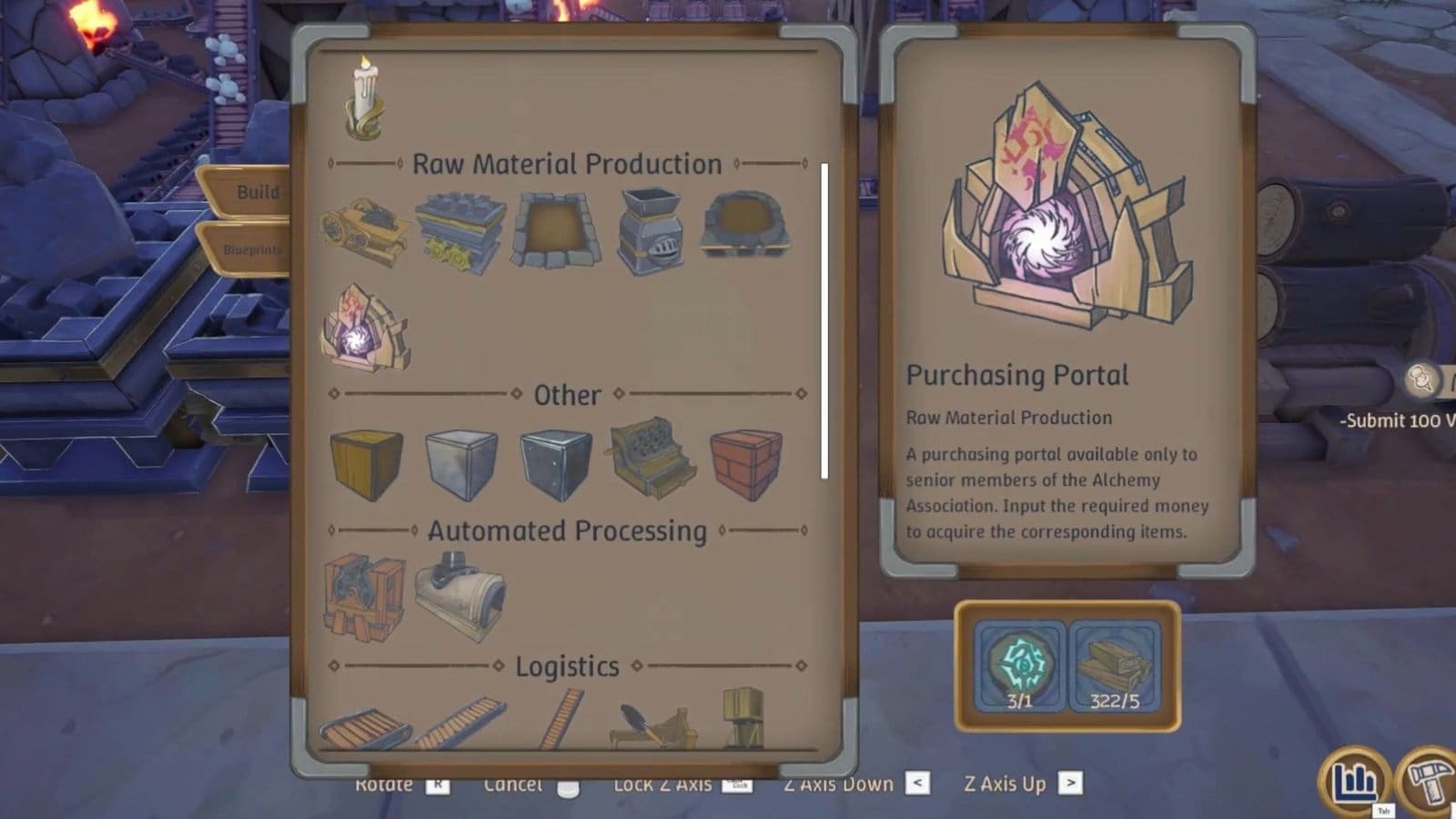
- You need to place a Purchasing Portal at your base, which requires 1x Portal Sigil and 5x Wood. Once that is done, select the Purchasing Portal and select the Cogwheel icon.
- Select the item you wish to purchase from the list.
- Next, place a conveyor belt from the entrance and exit points of the portal.
- Place two storage boxes on either side.
- Within the storage box at the entrance, place the required amount of coins to purchase the item.
- This will send the coins into the Purchasing Portal, which will auto purchase the items listed on the portal.
- The purchased items will pass through the portal and into the storage box on the other end via the conveyor belt.
- You can also attach the exit conveyor belt to any machine that requires the product for production.
Also Read: Alchemy Factory – What Does Heat Value Do
How to Auto Sell
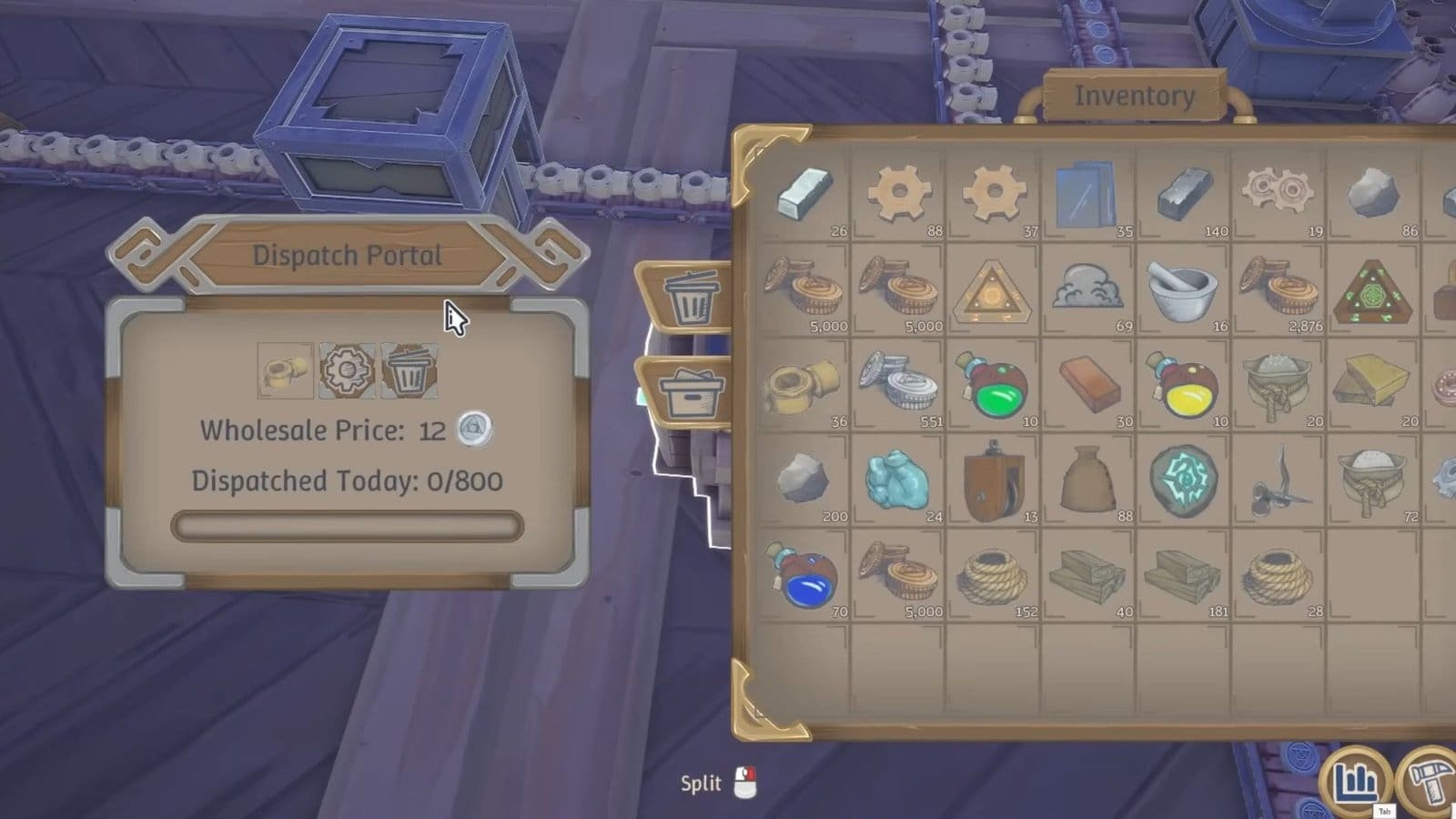
There are two ways to auto sell items at your store: by either having an automatic cashier or by owning a Dispatch Portal.
At rank 4, you get to unlock the Automatic Cashier. Place it near your cash register from the Build menu and watch it automatically collect the change from paying customers. You could collect the accumulated coins manually, or attach a conveyor belt from the cash register and place a storage box at the end of it to collect coins.
The Dispatch Portal, on the other hand, only works if you have picked up any active quests from the Mailbox.
- After placing your Dispatch Portal down, interact with it and select the cogwheel icon to add the quest item to be sold.
- Attach the conveyor belt from the production line of that particular product and bring it towards the Dispatch Portal.
- At the Portal’s exit point, place a conveyor belt and a storage box to collect all the cash.
Best Automatic Purchase and Selling Layout
- First, you need to get a flow of income going into the Purchasing Portal to buy products.
- There are two ways to do it:
- Either by attaching the Automatic Cashier to the Bank Portal and attaching the Bank Portal to the Purchasing Portal.
- Attaching the Automatic Cashier directly to the Purchasing Portal to send in money.
- Then, attach the Purchasing Portal to your production line to feed in the raw materials.
- Connect the production station to either your Dispatch Portal or to your storage box to collect and sell the finished products.
- If using the Dispatch Portal, attach the conveyor belt from the exit point towards the Automatic Cashier or Bank Portal to collect the revenue.
FAQs
What devices help me sell items?
Owning the Dispatch Portal will help you sell items, but only works if you have a quest active.
How do I collect revenue automatically?
Place an Automatic Cashier where your regular register was and it will collect all the revenue from paying customers.
How do I purchase items automatically?
The Purchasing Portal will purchase items assigned to them, provided you supply the necessary cash to purchase it.
