
Close Menu

    Subscribe to Updates

    Get the latest creative news from FooBar about art, design and business.

    What's Hot

    Neverness To Everness (NTE) Bug Fix – Infinite Loading Screen 100%

    April 30, 2026

    Neverness to Everness – How to Unlock the Blue Flame Bike

    April 29, 2026

    Far Far West – All Correct Answers to Rules of the West Quiz

    April 29, 2026
    Facebook X (Twitter) Instagram
    TheGamesWatchTheGamesWatch
    • Guides
    • Features
    TheGamesWatchTheGamesWatch
    Home»Guides»Quarantine Zone: The Last Check – Quarantine, Lab or Liquidate?
    Guides

    Quarantine Zone: The Last Check – Quarantine, Lab or Liquidate?

    By Kirthana KJanuary 13, 20263 Mins Read

    Key Point

    • You get to decide whether to push suspects towards quarantine or liquidate while diagnosing them.
    • If you find a suspect with unknown symptoms, then sending them to the lab will help in research.
    • Keep in mind that you need to meet the day’s quotas of living inhabitants, so plan accordingly.

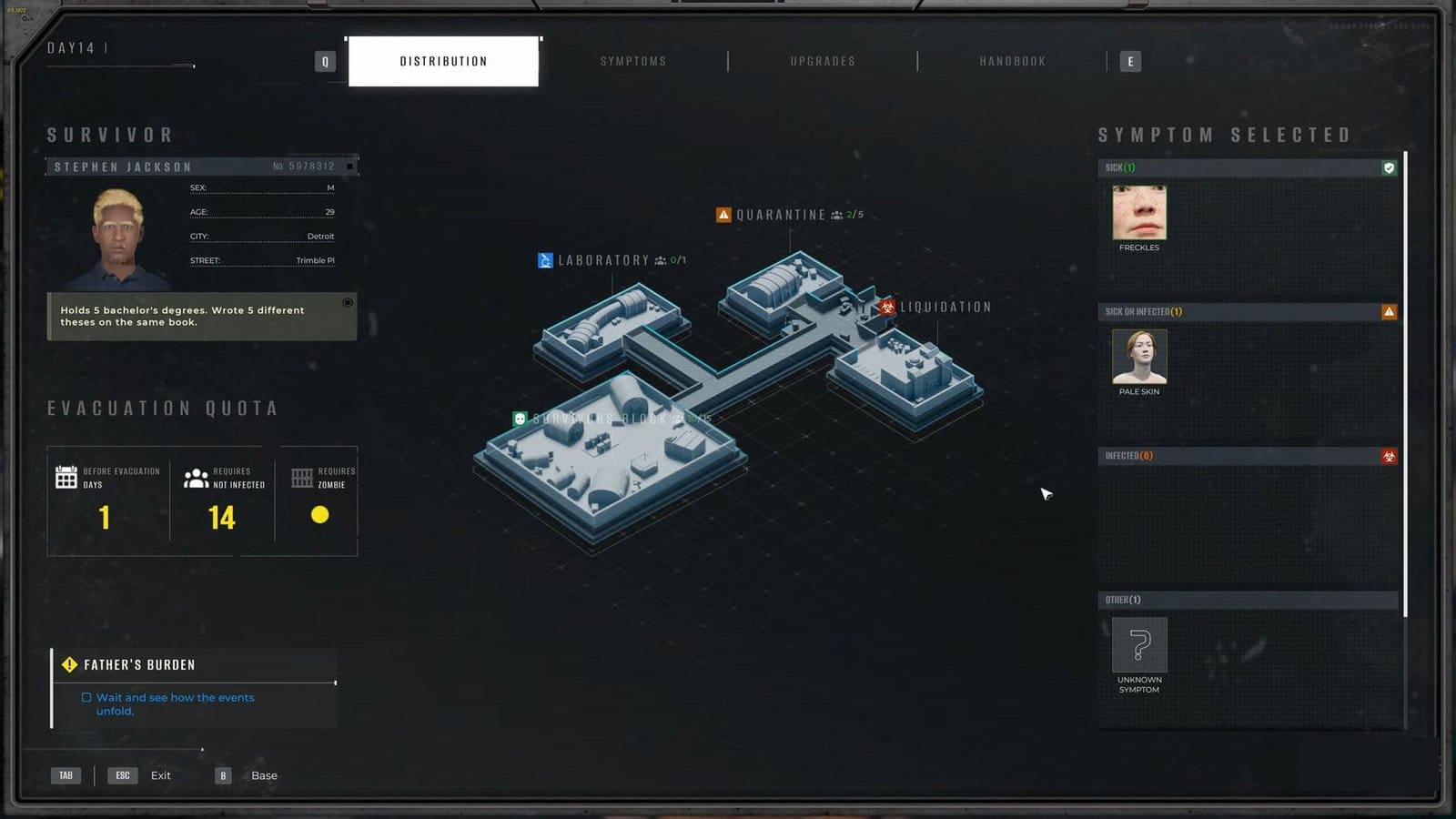
    Sometimes, you would have to make some tough choices in Quarantine Zone: The Last Check. And one of those choices involves where to send your suspects. You get three choices; either send them to the lab, liquidate them, or send them to quarantine.

    Read More: Quarantine Zone: The Last Check – All 6 Poem Locations

    Quarantine Zone: The Last Check – Quarantine, Lab, and Liquidate Overview
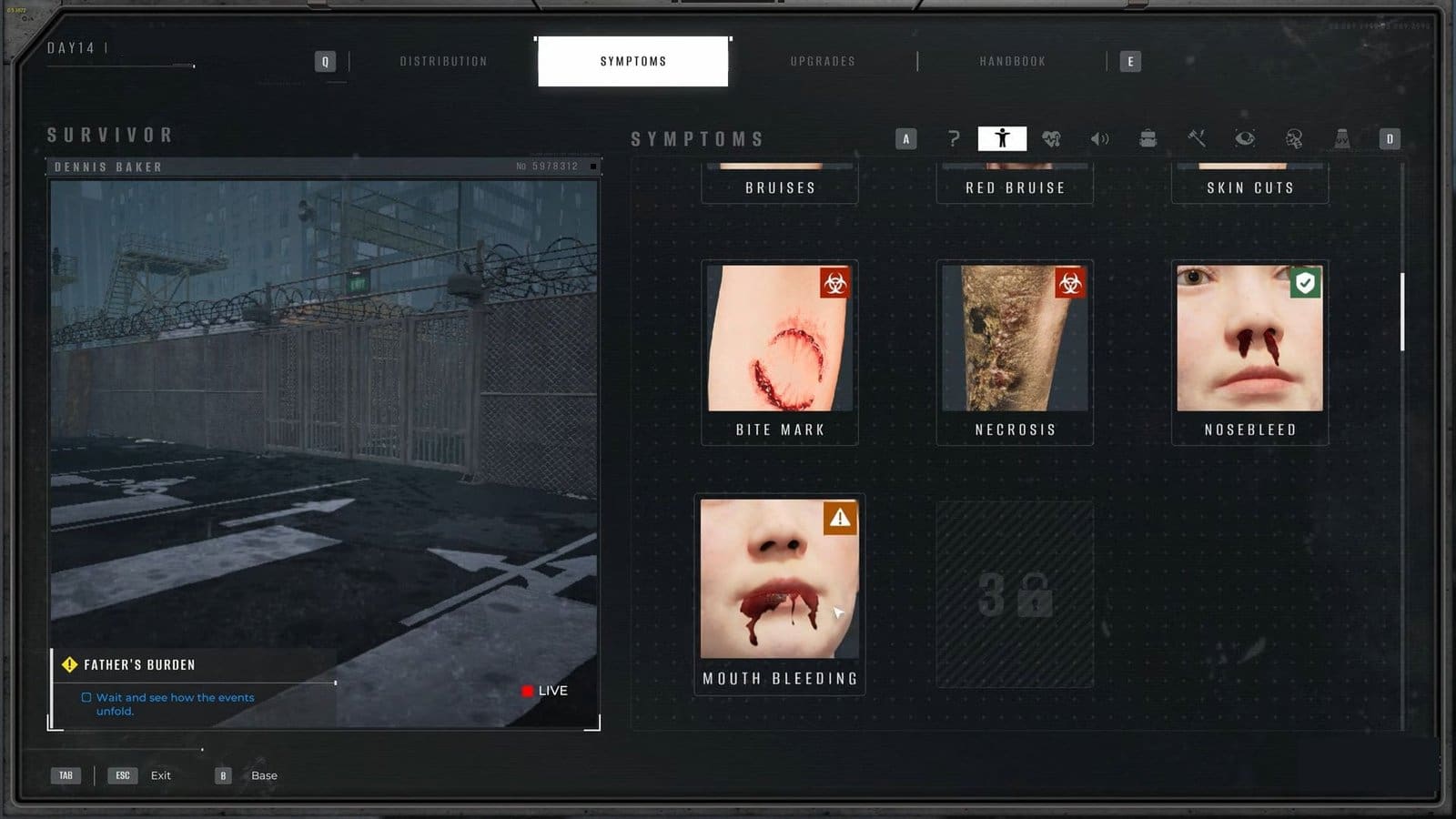
    Symptoms Quarantine Zone The Last Check
    When to quarantineCheck for Orange infection signs during diagnosis.
    When to liquifyCheck for Red infection signs during diagnosis.
    When to send to labSend people with unknown symptoms to the lab for further testing.

    What does Quarantine do?

    During inspection, if I find the suspect having more orange/yellow symptoms than green or red, I send them to the Quarantine zone. Over here, they are placed under observation for 1 or 2 days. If their symptoms worsen, then they are sent straight to be liquidated so they don’t end up hurting other survivors. If their symptoms get better, then they get to live with other survivors.

    What does Liquidate do?

    Liquidating potential suspects ends up killing them if they are viewed as a threat. During the inspection stage, look out for more red signs than other colors. Two or more red symptoms means they are infected, so immediately send them to the Liquidation facility to kill them. Also, anyone with clear zombie bites is also a threat, so liquidate them immediately. 

    What does the Lab do?

    Sometimes, while investigating a suspect, I would find that they have an unknown symptom. If you spot this in your chart, it is best to send them to the lab for further testing. The only downside to this is that lab testing will ultimately kill them. If you diagnose the symptom correctly, you will be rewarded with Research Points, else you will face penalties for the wrong decision and faulty death.

    FAQs

    What is the difference between Liquidate and Lab?

    Even though both Liquidate and Lab will kill the suspect, sending a suspect to the Lab is more beneficial to diagnose unknown symptoms and add it to your diagnosis chart. Plus, you will be rewarded 400 RP for correct diagnosis, but you will lose 1,000 RP for wrong diagnosis.

    My Quarantined suspect turned into a zombie, what do I do? 

    You should immediately transfer the infected to the Cage, or liquidate them straightaway. Sending zombies to the lab will help with research, and you will also earn RP after an evac.

    Can I send everyone to Quarantine?

    It is recommended not to send all your suspects to quarantine in one go, as you need to fill up your day’s Not Infected quota as well. Check out the monitor at the checking zone to see how many suspects you need to correctly diagnose to meet the criteria. 

    How can I tell when someone is not infected?

    If their symptoms show up as mostly green, then they can be safely sent to the Survivors Block and skip the Quarantine zone. 

    Quarantine Zone: The Last Check
    Share. Facebook Twitter Bluesky Reddit WhatsApp Copy Link
    Avatar photo
    Kirthana K
    • Website
    • LinkedIn

    Her lifelong passion of gaming led her to writing about them, bringing words to life and compiling comprehensive game guides that are quick and easy to follow. If not writing, you can catch her exploring Teyvat or the Palpagos Islands.

    Related Posts

    Neverness To Everness (NTE) Bug Fix – Infinite Loading Screen 100%

    April 30, 2026

    Neverness to Everness – How to Unlock the Blue Flame Bike

    April 29, 2026

    Far Far West – All Correct Answers to Rules of the West Quiz

    April 29, 2026

    ARC Raiders – How to Use Dockmaster’s Detector

    April 28, 2026

    ARC Raiders – Line In The Sand Quest Guide

    April 28, 2026

    ARC Raiders Last Resort Guide – Where To Find Ship Models

    April 28, 2026
    EDITOR'S PICKS

    Neverness To Everness (NTE) Bug Fix – Infinite Loading Screen 100%

    April 30, 2026

    Neverness to Everness – How to Unlock the Blue Flame Bike

    April 29, 2026

    Far Far West – All Correct Answers to Rules of the West Quiz

    April 29, 2026

    ARC Raiders – How to Use Dockmaster’s Detector

    April 28, 2026
    DON'T MISS
    Guides

    Scritchy Scratchy – How to Farm Jackpot Points

    Kirthana K
    Guides

    Starsand Island – How to get Royal Jelly

    Kirthana K
    Guides

    Ashes of Creation – Complete Guide to Caravans

    Kirthana K
    Guides

    Windrose – How to Deal with Boars

    Kirthana K
    Guides

    Tomodachi Life: Living the Dream – How to Unlock Treasures

    Kirthana K
    Guides

    Ashes of Creation – How to Repair Gear

    Amar Deogaonkar
    Guides

    WoW Midnight – How to Unlock Runestone at Saltheril’s Soiree

    Kirthana K
    Guides

    Crimson Desert – Dragon’s Stone Chamber Puzzle Solution

    Kirthana K
    Guides

    R.I.P. – All 10 Divine Pacts

    Santosh Panda
    Guides

    Seven Deadly Sins: Origin – How To Capture Dusk Bison

    Sagnik Adhikary
    © 2026 TheGamesWatch
    • Home
    • Our Authors
    • About Us
    • Privacy Policy

    Type above and press Enter to search. Press Esc to cancel.

    We use cookies to ensure that we give you the best experience on our website. If you continue to use this site we will assume that you are happy with it.