
Close Menu

    Subscribe to Updates

    Get the latest creative news from FooBar about art, design and business.

    What's Hot

    Ball x Pit – How to Unlock Endless Mode

    January 28, 2026

    Arknights Endfield – All Aurylene Locations (Origin Lodespring)

    January 28, 2026

    Ball x Pit Regal Update – All New Evolutions Guide

    January 27, 2026
    Facebook X (Twitter) Instagram
    TheGamesWatchTheGamesWatch
    • Guides
    • Features
    TheGamesWatchTheGamesWatch
    Home»Guides»Hytale – How To Install & Use Mods
    How To Unlock Memories in Hytale
    Guides

    Hytale – How To Install & Use Mods

    By Jordan BlakeJanuary 15, 20262 Mins Read

    Key Points

    • Hytale has full server-side mod support, meaning mods are tied to worlds and servers, not individual players.
    • CurseForge is the easiest and most reliable way to browse, install, and manage Hytale mods.
    • Mods must be enabled in world or server settings before they appear in-game.

    Modding adds a new layer of experience to Hytale. Players can easily expand their Hytale gameplay using new items, mechanics, creatures, and entire gameplay systems built by modders. If you also want to dive into Hytale mods, read below.

    How to Use Mods in Hytale
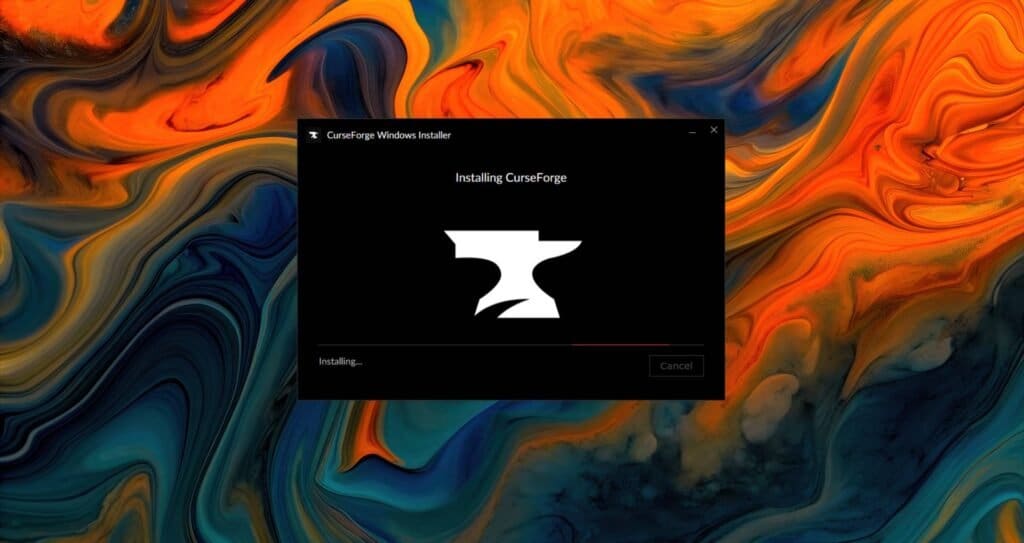
    Hytale mods can be installed either manually or through the CurseForge Mod Manager. Since mods are server-side, anyone joining your world or server will automatically load them without extra downloads.

    Using CurseForge App (Recommended)

    • Install Hytale and download the CurseForge App on your PC.
    • Open CurseForge and select Hytale from the “Choose a Game” list.
    • Click Discover to browse available Hytale mods.
    • Select a mod you want and press Install. CurseForge will place it in the correct folder automatically.
    • Launch Hytale through CurseForge using the Play button.
    • Open an existing world or create a new one.
    • Go to World Settings and enable the mods you’ve installed.
    • Start your world, and mods should now be active.
    • If a mod doesn’t appear, check the Hytale mods folder via CurseForge and ensure the files are extracted properly.

    Manual Mod Installation Using CurseForge

    • Download your chosen mod from the Hytale section on CurseForge. 
    • Extract the ZIP or RAR file.
    • Place the extracted files into the Hytale mods directory. It can look like: Games\Hypixel Studios\Hytale\UserData\Mods
    • Launch Hytale and open your world’s settings.
    • Enable the mod and save your changes.

    Always remember that installing a mod alone isn’t enough, as you must enable it in the world settings.

    Read More: Hytale – How to Mount Animals

    FAQs

    Are Hytale mods client-side or server-side?

    Hytale mods are server-side, meaning they are tied to a world or server and automatically load for anyone who joins.

    What is the best way to install Hytale mods?

    The CurseForge App is the easiest and safest method, as it manages files and updates automatically.

    Do I need to enable mods after installing them?

    Yes. Mods must be enabled in the world or server settings before they will work in-game.

    Hytale
    Share. Facebook Twitter Bluesky Reddit WhatsApp Copy Link
    Jordan Blake
    • X (Twitter)
    • Instagram

    Jordan has 3+ years of experience covering Esports and Gaming while diving deep into multiple genres. Trained professionally as a game developer, he has a knack for finding the technical intricacies in games. When he is not writing or playing video games, you can find him travelling to a new destination.

    Related Posts

    Ball x Pit – How to Unlock Endless Mode

    January 28, 2026

    Arknights Endfield – All Aurylene Locations (Origin Lodespring)

    January 28, 2026

    Ball x Pit Regal Update – All New Evolutions Guide

    January 27, 2026

    Where Winds Meet Nine Mortal Ways – All Old Friends Locations

    January 27, 2026

    Where Winds Meet Nine Mortal Ways Base – All Injustice Locations

    January 27, 2026

    LORT – Complete Guide to Classes

    January 27, 2026
    EDITOR'S PICKS

    Ball x Pit – How to Unlock Endless Mode

    January 28, 2026

    Arknights Endfield – All Aurylene Locations (Origin Lodespring)

    January 28, 2026

    Ball x Pit Regal Update – All New Evolutions Guide

    January 27, 2026

    Where Winds Meet Nine Mortal Ways – All Old Friends Locations

    January 27, 2026
    DON'T MISS
    Guides

    BO7 Zombies Astro Malorum – All 10 Bobblehead Locations

    Santosh Panda
    Guides

    Heartopia – The Complete Flower Crossbreeding Guide

    Amar Deogaonkar
    Guides

    Heartopia – Flashing Fish Shadow Quest Guide

    Kirthana K
    Guides

    Where Winds Meet – The Complete Guide to Commerce Coins

    Kirthana K
    Guides

    Hytale – How to Get Essence of Life & Essence of Void

    Jordan Blake
    Guides

    StarRupture: All 3 Redleaf Keycard Locations Guide

    Kirthana K
    Guides

    Quarantine Zone: The Last Check – How to Use the Scanner

    Kirthana K
    Guides

    My Winter Car – How to Gamble

    Santosh Panda
    Guides

    Heartopia – All Furniture Bubble Recipe Locations

    Kirthana K
    Guides

    Octopath Traveler 0 – All 3 Locations for Books Overdue quest

    Santosh Panda
    © 2026 TheGamesWatch
    • Home
    • Our Authors
    • About Us
    • Privacy Policy

    Type above and press Enter to search. Press Esc to cancel.

    We use cookies to ensure that we give you the best experience on our website. If you continue to use this site we will assume that you are happy with it.