
Key Points
- As a Thief class, you can learn how to slide cancel.
- You need to use your grapple ability to halt your character while sliding.
- This is a great way to stop characters in their track before moving ahead.
Slide canceling is a unique mechanic that is available to use in most games. But in Marathon, there are no fixed keys that allow you to perform this move. That’s when you need to get crafty and use your character’s skills to help you get around. If you are playing as a Thief, you can quickly learn how to slide cancel using a unique method.
Read More: Marathon – How to Enter Pinwheel Base
Marathon – Slide Cancel Overview
| Class | Thief |
| Requirement | Grapple Device |
| What it does | Allows you to cancel a slide |
How to Slide Cancel
Since I am a big fan of FPS games, slide canceling has been an important aspect of most games I play. It did come as quite a shock to know that this function was entirely nonexistent in Marathon. Without the slide canceling move, my margin of error to sneak attack other players or take cover became quite high.
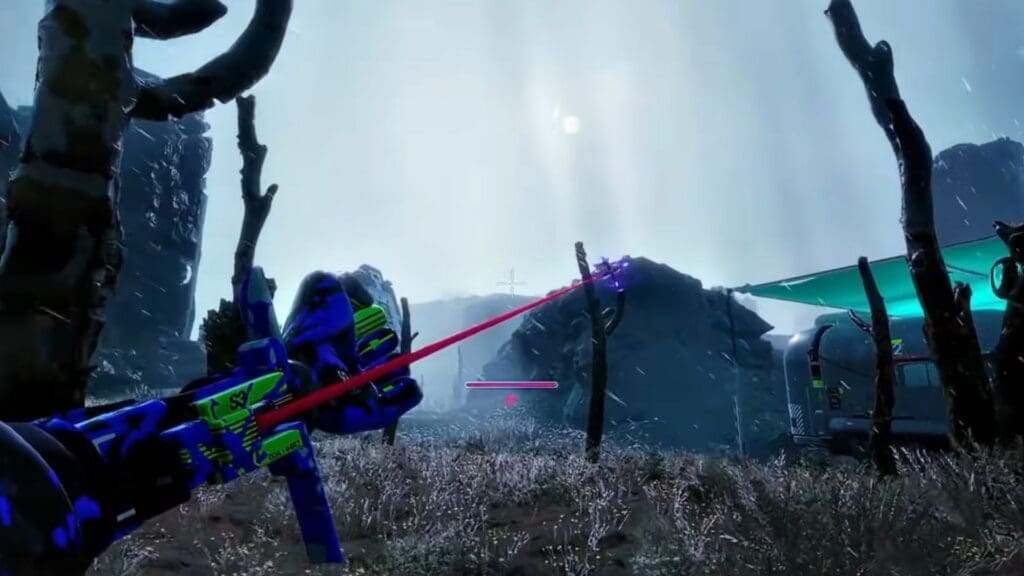
Fortunately, there was a neat little trick I discovered, but this only worked while playing as a Thief. As a Thief, I got to use the in-built Grapple Device to help me slide cancel. To slide cancel, load into a match using the Thief. Then, run and slide while double-tapping the grapple key.
While using the grapple, you don’t need to aim at the ground or any point in particular. You can aim and shoot anywhere within the general direction you wish to go. Then, the last step of this sequence is to jump, which will cause your character to bunny hop.
If you spot your grapple line cutting, which happened to me after some trial and error of the above movement sequence, then you have successfully performed a slide cancel. To halt your movement completely, don’t jump after using the grapple – this will stop your character in their tracks.
How to Slide Cancel as Other Runners
If you don’t wish to play as a thief and want to play as another Runner, you still can slide cancel. The technique here is pretty different from that of a Thief, since you won’t have the grappling hook to help you out.
What I did to slide cancel if I picked another runner involved a more intricate movement technique. After picking your runner and loading into a match, I started by sprinting in the direction I wished to slide cancel. After sprinting for a moment, I let go of the sprint button.
While my finger was off the trigger, my character continued to sprint for a second or two. During this sprinting motion, I immediately pressed the slide, melee, and jump buttons all together. This launched my runner afloat for a bit before I started bunny hopping.
At the same time, I could press my equipment key to pull out my preferred weapon, so there was no stopping me here. It will help more if you can change the key settings to make it easier to press all three buttons at the same time to enable slide-cancel.
This exploit may not, however, last long – as the developers are looking to patch it in subsequent updates, so enjoy this moveset while you can!
Read More: Marathon – How To Scan FTL Array at UESC Radio Tower
FAQs
Why do I need to slide cancel?
Slide canceling will help halt your character in their tracks, perfect for taking cover behind objects along the way or surprise-attacking enemies.
Is there a limit for the number of times I can slide cancel?
No, you can perform this movement as many times as required.
Do I need to aim the grapple at a particular angle?
It is not required, as you can aim straight ahead at any object in front of you. If your slide cancel doesn’t work, then aim at the ground at a 45-degree angle and double-tap the grapple skill.
