Close Menu

    Subscribe to Updates

    Get the latest creative news from FooBar about art, design and business.

    What's Hot

    How To Reduce Stress in Project Zomboid

    October 22, 2026

    How To Reload Guns in Project Zomboid

    October 22, 2026

    How To Switch Car Batteries in Project Zomboid

    October 21, 2026
    Facebook X (Twitter) Instagram
    TheGamesWatchTheGamesWatch
    • Guides
    • Features
    • Game Hubs
    TheGamesWatchTheGamesWatch
    Home»Guides»Pokémon Pokopia – How To Change Appearance
    Guides

    Pokémon Pokopia – How To Change Appearance

    By Kirthana KMarch 6, 2026Updated:July 24, 20262 Mins Read

    ​Key Points​

    • Placing a large mirror at your base helps you change your appearance.
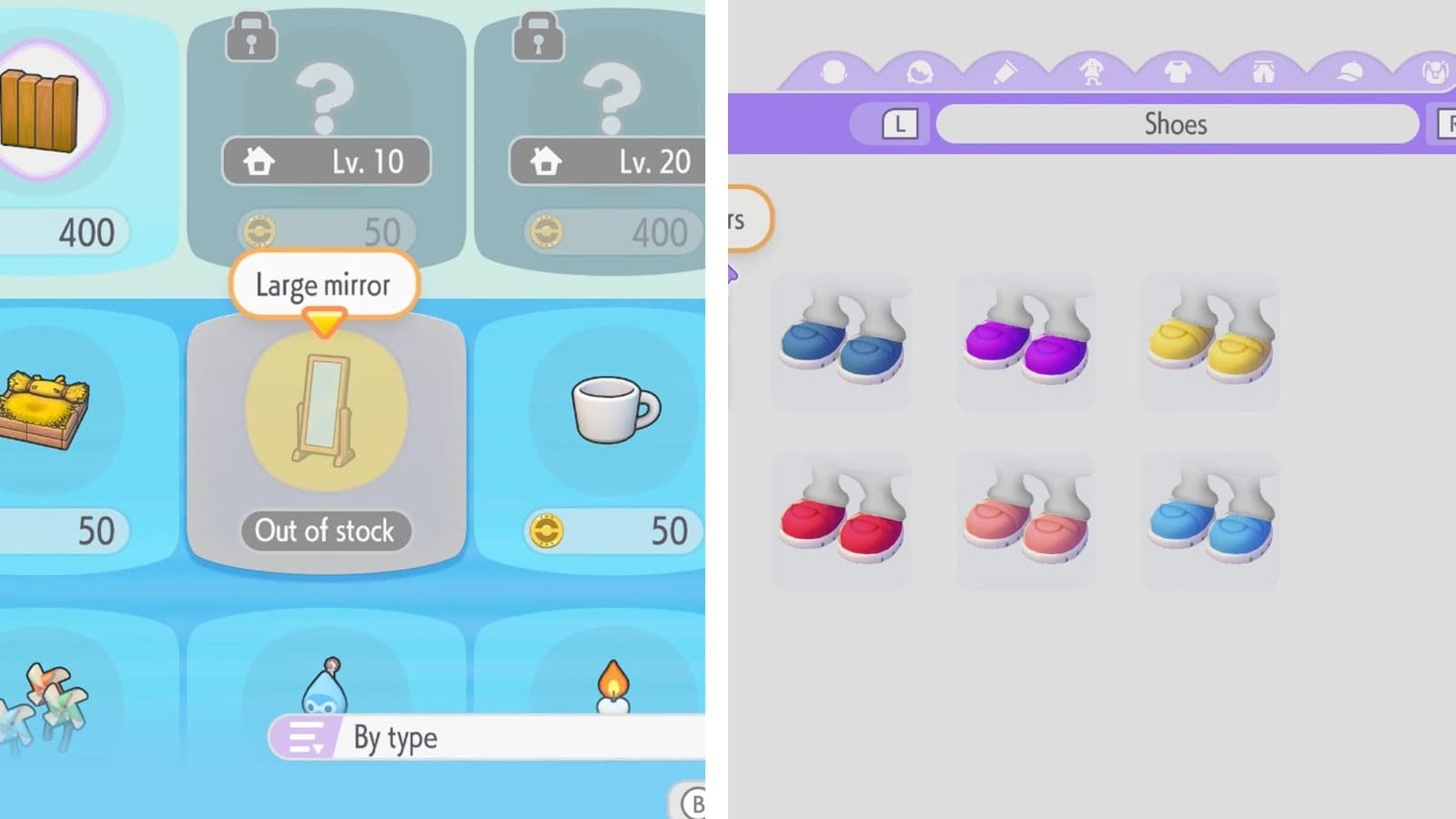
    • You will find a large mirror during exploration or buy it from the store.
    • It costs 50 coins to purchase the mirror.

    Changing your character’s appearance and making it uniquely yours is all a part of your gameplay experience in Pokémon Pokopia. Customizing your character is a piece of cake, and you also get to unlock new cosmetic items as you explore secret locations. But first, you need to get yourself a mirror to start the customization process.​

    Read More: Pokopia – How to Move Pokémon to Different Habitats

    Pokopia – Character Customization Overview

    RequirementLarge mirror
    Cost50 coins
    How to getIn-game store

    ​How to Get a Mirror​

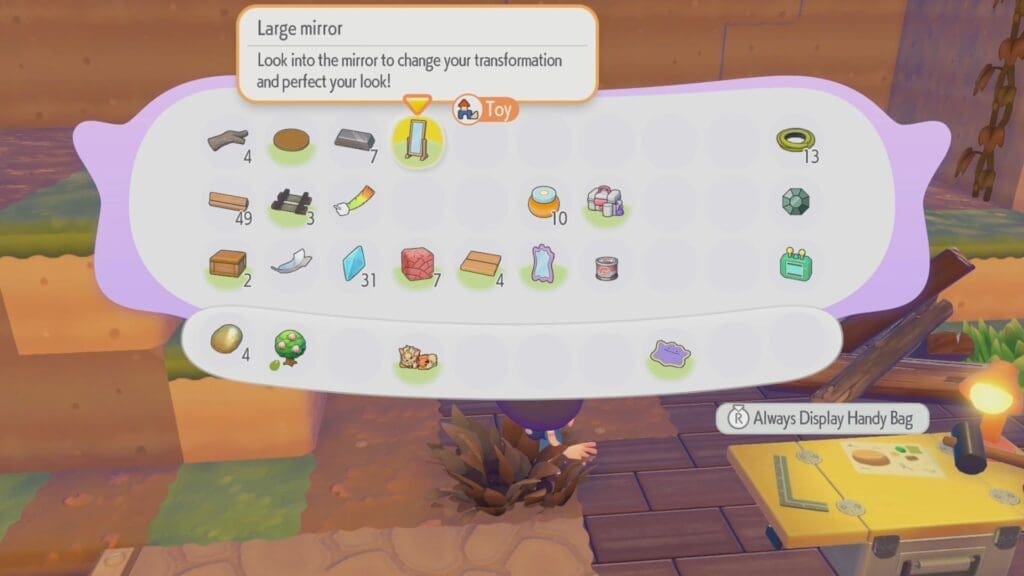
    You need to purchase a mirror from the in-game store and interact with it to change character appearance. To purchase a mirror, interact with the PC and purchase the large mirror from the in-game store for 50 coins. Place the mirror anywhere in your habitat to use it.

    There is a possibility of finding a mirror in the wild if you travel east of the Withered Wastelands Pokémon Center towards the abandoned house. Inside the abandoned house will be a usable mirror here, too.

    ​How to Customize Appearance​

    Step up to any mirror and interact with it to get the Change Appearance option. Once inside this menu, you get to change your skin color, hairstyle, hair color, clothing, and so on. You need to come back here anytime you wish to change your character’s appearance. ​

    Read More: Pokémon Pokopia – How to Get Mew

    FAQs​

    How do I unlock more cosmetic items?​

    You will find abandoned human settlements during your exploration of the region. Investigate them to find relics and picking them up will give you the chance of unlocking new cosmetic items.

    ​Where can I find my newly unlocked cosmetic items?​

    Interact with the large mirror again to find all your new cosmetics under the various sub-menus.​

    How many times can I change my appearance?​

    You can change your appearance as many times as you can, as long as you interact with the mirror at your base.

    Pokopia
    Share. Facebook Twitter Bluesky Reddit WhatsApp Copy Link
    Avatar photo
    Kirthana K
    • Website
    • LinkedIn

    Her lifelong passion of gaming led her to writing about them, bringing words to life and compiling comprehensive game guides that are quick and easy to follow. If not writing, you can catch her exploring Teyvat or the Palpagos Islands.

    Related Posts

    How To Reduce Stress in Project Zomboid

    October 22, 2026

    How To Reload Guns in Project Zomboid

    October 22, 2026

    How To Switch Car Batteries in Project Zomboid

    October 21, 2026

    How To Wash Clothes in Project Zomboid

    October 21, 2026

    How To Craft Bandages in Project Zomboid

    October 21, 2026

    Where To Find Gourgeist and Pumpkaboo in Pokopia

    October 17, 2026
    EDITOR'S PICKS

    How To Reduce Stress in Project Zomboid

    October 22, 2026

    How To Reload Guns in Project Zomboid

    October 22, 2026

    How To Switch Car Batteries in Project Zomboid

    October 21, 2026

    How To Wash Clothes in Project Zomboid

    October 21, 2026
    DON'T MISS
    Guides

    NTE – How to Unlock Car Vendor

    Kirthana K
    Guides

    Heartopia – How to Unlock Save Outfits Preset

    Kirthana K
    Guides

    My Winter Car – How To Install A CD Player In the Sorbet 

    Kirthana K
    Guides

    Crisol: Theater of Idols – All Prologue Collectibles

    Sagnik Adhikary
    Guides

    YAPYAP – How to Revive Friends

    Kirthana K
    Guides

    How To Craft Bandages in Project Zomboid

    Kirthana K
    Guides

    Half Sword – How to Make Enemies Surrender

    Sagnik Adhikary
    Guides

    Pokémon Pokopia – How To Create The Hot Spring Shower Habitat

    Kirthana K
    Guides

    How to Get a 12 Slot Bag in WoW Forever

    Kirthana K
    Guides

    Mortal Shell II – Axe & Dagger Location

    Kirthana K
    © 2026 TheGamesWatch
    • Home
    • Our Authors
    • About Us
    • Privacy Policy

    Type above and press Enter to search. Press Esc to cancel.

    We use cookies to ensure that we give you the best experience on our website. If you continue to use this site we will assume that you are happy with it.