

Key Points
- Crafting a Personal Storage will offer 18 Slots to store any of your items.
- After reaching a certain level, you are allowed to craft a Large Personal Storage/ Multistorage/ Expandable Storage to store even more items.
- The options for storage-related upgrades are all found under Clever Robotics in the Corporate Terminal.
You will start out in the game with 24 Inventory Spaces in StarRupture. With such limited space, you will always need a healthy space for storage. Investing early in Clever Robotics will help you ease the storage space stress.
StarRupture – Storage Space Overview
| Research Tree | Clever Robotics |
| Required Starting Level | Level 2 |
| Storage Space Types | Personal Storage/ Large Personal Storage/ Multistorage/ Expandable Storage |
| Technology Detail | Allows to store more items |
StarRupture does allow you to max out your storage space by getting an upgrade via Corporate Terminal. You can unlock this upgrade very early on in the game without any long grind.
All Storage Space Unlocks in StarRupture
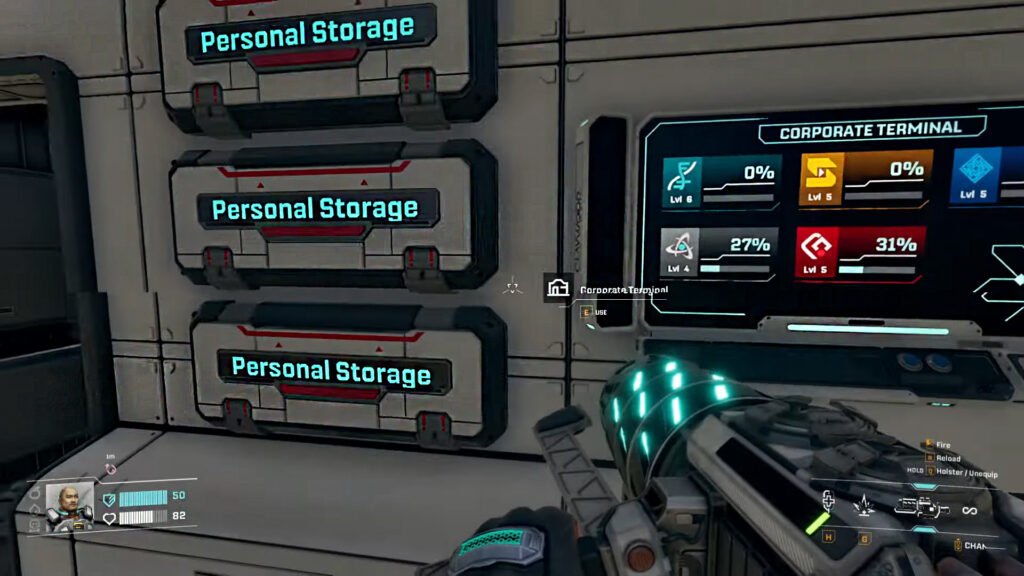
While the very basic Personal Space can be obtained early on, investing more Data Points in Clever Robotics will allow you to unlock even more storage-related upgrades in the game.
Personal Storage: You just need to head over to the Corporate Terminal and select Clever Robotics on the menu. Under Clever Robotics, you will find the Personal Storage upgrade on the Level 2 option.
Note: You will need around 200 Data Points to reach Level 2 on Clever Robotics.
Once you claim the technology on the Corporate Terminal, you will have the option to build a Personal Storage anywhere in the base.
Large Personal Storage: This one requires you to be Level 9 on Clever Robotics to get unlocked. It serves as an upgrade over the small personal storage by allowing you to carry more items.
Storage Depots: You can’t place them inside the base; they are for outside. You can obtain the Storage Depot by completing the Level 3 contract with Clever Robotics. Storage Depots can be further upgraded at Level 8 of Clever Robotics.
Multistorage: Allows you store around 2500 units of different items all in one place. You will need to reach Level 12 with Clever Robotics to unlock it.
Expandable Storage: A roided-up version of Multistorage with the option to expand. Each new expansion here adds 1600 to the storage capacity. Expandable Storage requires you to reach Level 13 with Clever Robotics to unlock.
FAQs
How Many Basic Building Materials are needed to craft a Personal Storage?
To create a single Personal Storage, you will need around x60 Basic Building Materials.
How many slots will I get from a single personal storage?
A single Personal Storage will hold 18 Slots. Once you reach Level 9, you will unlock Large Personal Storage with a carrying capacity of 42 slots.
Can I name my Personal Storage?
Yes, you can name your personal storage to your liking. If you are looking to dedicate a personal storage to Titanium Ores, then you can rename the storage to Titanium Ore for easier accessibility.
Can I attach the personal storage to the wall?
Yes, if you don’t want to place Personal Storage on the ground, then you can attach it to the wall. The same goes for the Large Personal Storage; you can also attach it to the wall.
