

Key Points
- Drinking alcoholic beverages will reduce the Problem meter on your character.
- To avoid being an alcoholic, you need to drink water.
- Once you reach 0 Problem, the bar will change to Thirst instead, which indicates sobriety.
Since My Winter Car is a sequel to My Summer Car, you will find most features similar to its predecessor. But one of the newer features added to the game is the Problem meter for your character, which replaces the Thirst meter. There is a way to change Problem bar to Thirst so that your character stops their dependency on alcohol entirely.
Read More: My Winter Car – The Complete Firewood Guide
My Winter Car – Problem Meter Overview
| What it does | Signifies alcoholism |
| How to reduce | Drink alcohol frequently |
| How to remove | Drink other beverages like water |
What does the Problem Meter do
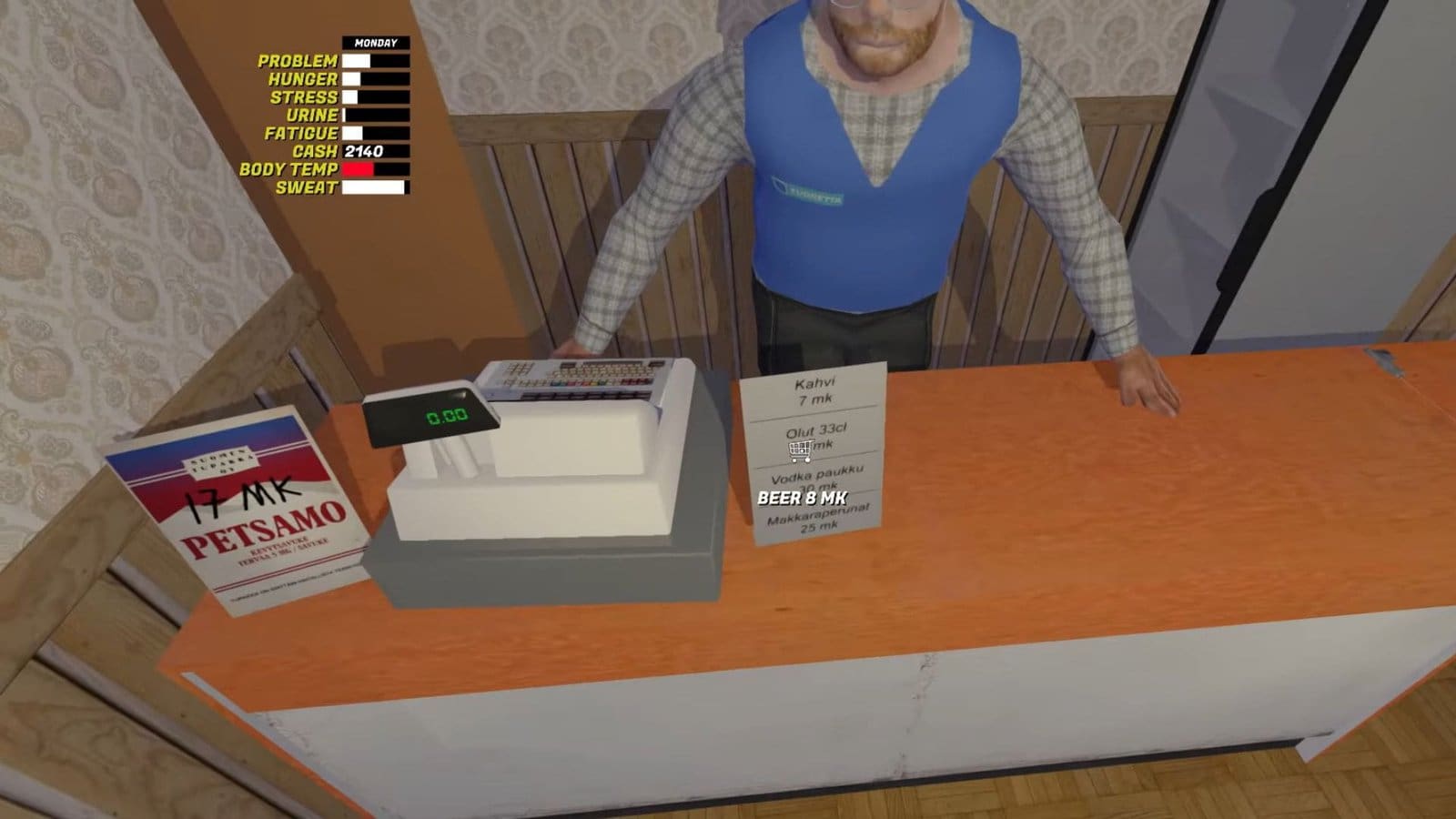
A brand-new system that wasn’t introduced in My Summer Car is the Problem meter. This affliction can be noticed on the top left corner, and it fills up as you go longer without alcohol. While the short solution to remove alcoholism is to not consume any alcohol, this will have an adverse effect in the game. Alcohol is found in abundance in the store, so it’s quite easy to get lost in the sauce.
By trying to avoid alcohol while you have an active Problem meter will make your character agitated and lightheaded, and this will lead you to a worse fate – death. Initially, the only way to tackle the Problem meter is to consume more alcohol, but it isn’t the only way to deal with it, especially if you want to turn the Problem meter into its default theme, which is Thirst.
How to Reduce the Problem Meter
Drinking alcohol is one way of reducing the Problem meter, but it is not a permanent way to eradicate it. To stop being an alcoholic, you need to consume other beverages like water to turn your Problem meter into Thirst. You can find water bottles at the store, but you need to strategically consume water to get the Thirst meter.
How to Get the Thirst Meter
You can turn the Problem meter into the Thirst meter by following the steps below.
- First, fulfill all your other needs and bring them down to zero.
- Next, avoid drinking alcohol to fill up your Problem meter to 100.
- Once the meter turns red, start an IRL timer side by side.
- Wait for 38 minutes real time, then immediately head over to the tap to drink water.
- This will bring the Problem meter down to white and will also drop the bar to 37.
- Keep drinking water a couple more times till the Problem bar gets to zero.
- Continue to consume water till you notice the Problem meter turns into Thirst, which indicates sobriety.
FAQs
Why do I keep dying while trying to turn my Problem meter into Thirst?
You need to set all your other needs values to 0 and avoid eating, drinking, or moving around during the 30-40 minute time frame after the Problem bar turns red. If you do eat or move around, then your thirst meter will fill up faster, which will cause a miscalculation and premature death.
Where can I buy alcohol?
You can purchase alcohol from Pub Nappo or the PSK Gas Station; they sell beer and vodka.
My urine meter fills up while drinking water. How do I set it to zero?
Press P while drinking water to drain your urine meter simultaneously.
Is there another way to lower the Problem meter?
You need to access your local game files and open the savefile.txt in MSCEditor. Find the “playeralcoholism” option and set it to 0. Another way to reduce the Problem bar is to chug down beer and immediately drink water right after. Or switch to milk instead of alcohol to reduce the meter.
Will my Thirst bar turn back to the Problem bar if I consume alcohol?
Yes, like with all addictions, your Problem meter will return if you start consuming lots of alcohol.
