
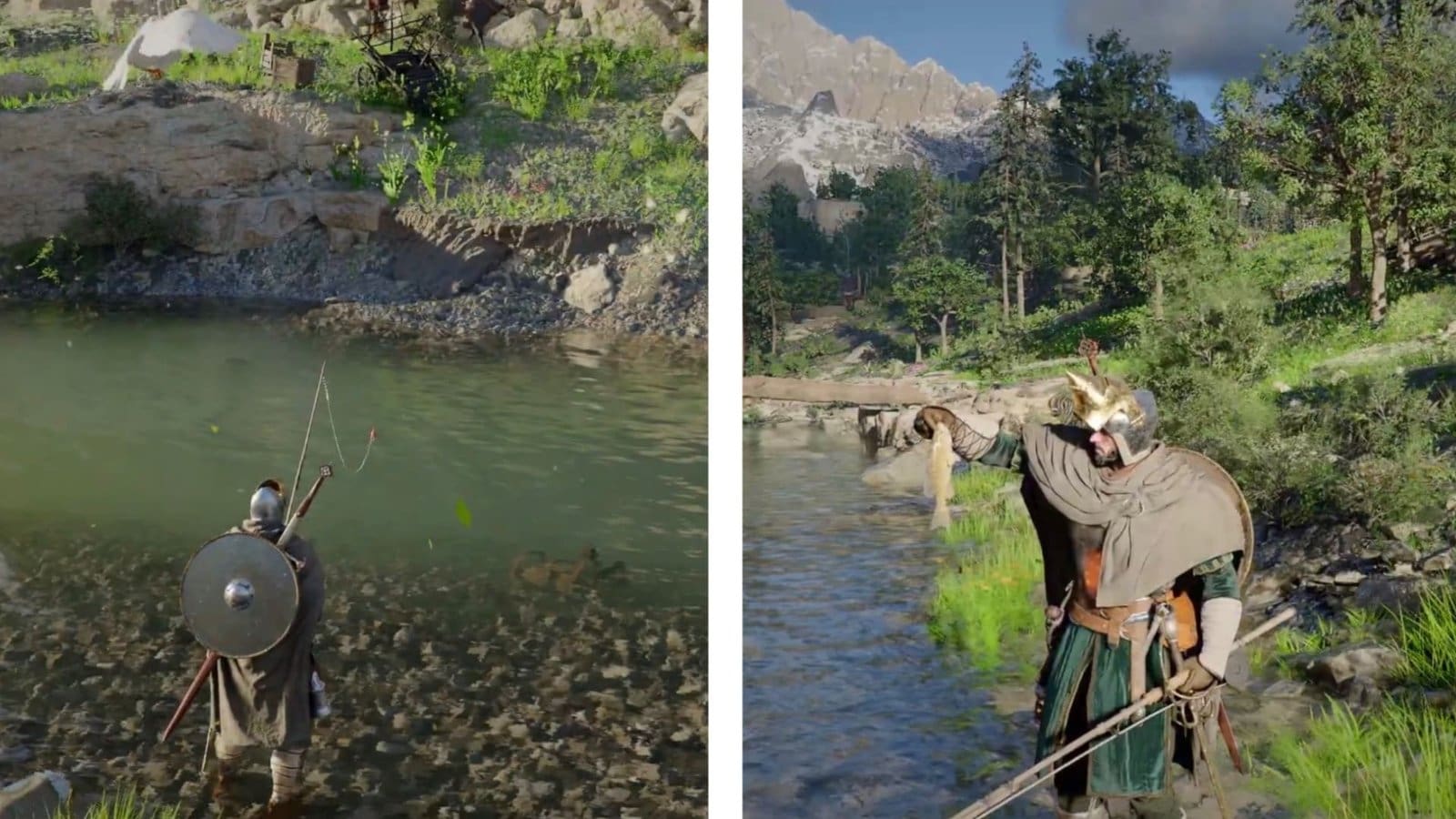
Key Points
- You can start fishing in Crimson Desert as soon as you get a fishing rod.
- You can either purchase a fishing rod from Vendors or complete Annabelle’s request to obtain one for free.
- You don’t need to complete any quests or purchase bait to start fishing in the game.
Crimson Desert’s fishing mechanic is akin to Red Dead Redemption 2’s, which is essentially a reeling war between the fish and your cast. Whether you’re selling them to Vendors or cooking porridge out of them, fishing is still one of the best ways to earn money early on in the game. For starters, you need a fishing rod and there’s two ways to obtain it, unless you’re more of a bare-handed fishing guy.
Crimson Desert – Fishing Overview
| Item Required | Fishing Rod |
| Location | Any body of water with depth. |
| Quest Requirement | None |
Steps to Fish in Crimson Desert

Thankfully, Crimson Desert doesn’t have any quest-related restrictions on fishing. You can start doing it as soon as you get a fishing rod. So, my first goal was to get one and find a body of water with some depth, and there’s plenty in Pywel. As soon as you meet these requirements, follow the steps below to start fishing:
- Hold the left D-Pad on the controller or F2 on PC to open the Equipment Wheel and equip the fishing rod at the bottom right. If you have the Bow equipped in this slot, which I assume is the case for most players, use the mouse wheel or R2/RT to switch to the fishing rod and let go to equip it.
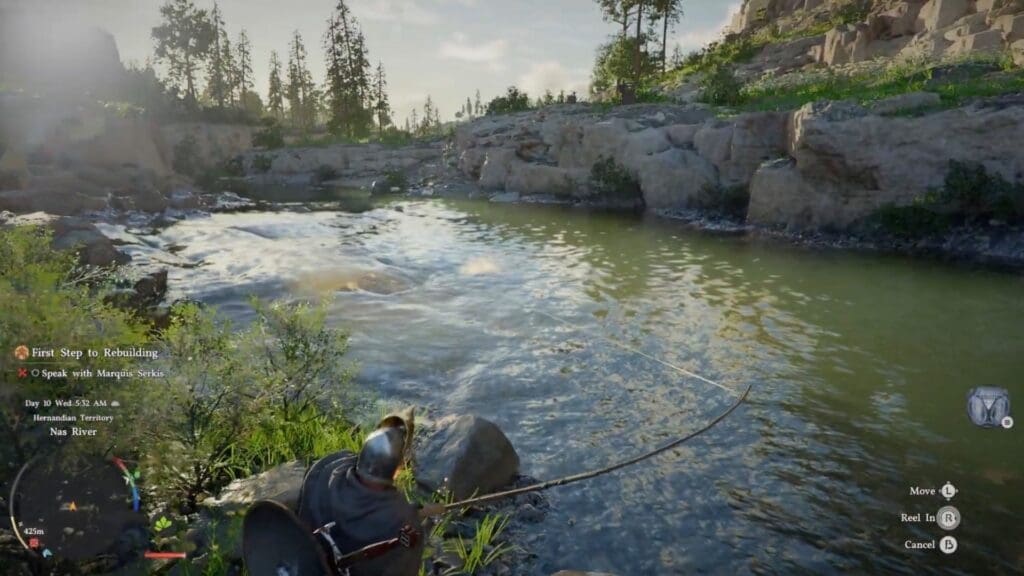
- Next, Q and then hold the left mouse button to aim your cast. For console players, press L2/LT to aim the cast. In both cases, release the buttons to throw the cast and start fishing.
- The bait icon will glow blue (as showcased by the arrow in the image above) when you’re fishing at a relevant location. This means that the area is fit for fishing. If there are any rocks or debris in the body of water, the location is unfit for fishing.
- After you cast the bait, hold the left mouse button/L2/LT to focus on the line. If a fish is about to take the bait, you’ll hear three splashes.
- As soon as it takes the bait, click the right mouse button or R2/RT on your controller to hook it. To reel in the cast, move the mouse wheel on your PC or the right analog stick on your controller.
- Now begins the hard part. Move the line in the direction opposite to the fish’s movement. Suppose the fish is trying to pull your rod to the left. This means you need to pull your line to the right to fight the fish’s resistance.
- When the fish is tired and stops fighting, pull back and reel it in. If you reel the fish before it is tired, it will escape, as I found out on my first try. However, you can try again if push comes to shove.
- If the fish starts swimming again while you reel it in, pull your line in the opposite direction instantly and tire it out. There’s also a chance your line will snap if you reel it in while the fish is resisting, so ensure that doesn’t happen.
Also Read: Crimson Desert: How to Move The Greymanes Camp to Pailune
These are the steps you need every time you fish in Crimson Desert. If you’re low on money, which you will be when you’re starting in Pywel, fish and sell your catch to the Vendors at a high price.
How to Get Fishing Rods Early

There are three ways to get fishing rods in Crimson Desert early. I prefer doing the last method since it’s the only way to get a fishing rod without spending Copper Coins. However, for the sake of argument, I’ll list both ways to obtain it, so you can wisely make your decision:
- Complete Annabella’s Request: After Crimson Desert’s prologue, you can accept Annabella’s Request from Hernand’s Notice Board. To complete this Request, catch a Tench and deliver it to Annabella’s Assistant at the Bloomwood Ranch to obtain a fishing rod. I recommend completing this request to get a free fishing rod and save your Copper Coins.
- Purchase from Vendors: On the other hand, if you’re looking for a shortcut to get fishing rods, Vendors Alden and Hailard in Pywel will satiate your needs. Alden sits at the Provisioner’s Shop, east of Oakenshield Manor in Hernand. Hailard becomes available after you free Rodbel Fishing Dock from bandits, located east of Hernand. Both sell fishing rods for 15 Copper Coins, so this will indeed save you time but set you back some Coins.
- You can also pick up a free fishing rod by heading south of Hernand. Make your way to the river and check around the pile of boxes to find a fishing rod.
All Fishing Rod Types and How to Get
| Fishing Rod | How to Get |
| Basic Fishing Rod | Purchase from Alden or get for free near the river. |
| Fine Fishing Rod | Craft it at the Blacksmith after getting the blueprint from Grimrak at his Back Alley Store. |
| Pororin Fishing Rod | You will get this fishing rod after completing the Pororin research and the camp dispatch mission. |
| The Claw | Visit Patrigo at Greymane Camp after Chapter 3 and raise his trust to 100 to get the rod. You can give him 20 copper pouches to raise trust quickly. |
The basic fishing rod is great for early game fishing, but you can’t catch higher leveled fishes with this. The Fine Fishing Rod is a step up from that and is a great pick for mid-game fishing. The Pororin Fishing Rod is the best late game fishing rod that will help you catch legendary fishes, while The Claw will remove the fishing mini game entirely, making it easier to fish across all ponds.
Read More: Crimson Desert – Find the Room the Key Opens (Mystical Key Quest Guide)
FAQs
What can I do with fish in Crimson Desert?
You can use the fish to restore your health and other benefits, or sell them to Vendors at a high price.
Can I fish without owning a fishing rod?
Surprisingly, yes, Crimson Desert allows you to catch fish without a fishing rod by heading to a body of water and grabbing them with your bare hands!
Can I buy fish in the game?
Yes, if you think fishing is too tough for you right now, you can purchase fish from Vendors in Pywel. However, it will set you back some Copper Coins.
