
Key Points
- Blueprints are used to save your custom-made structures.
- You can access your existing blueprints from the Build menu.
- There are no limits for the number of blueprints you can make or share with other players.
Blueprints play a vital role in Alchemy Factory, as you get to easily access your existing structures instead of building from scratch over and over again. The game also supports sharing blueprints with other players, which is useful if you want a particular structure that someone else has. If you don’t know how to create and use a blueprint, then this guide is for you.
Alchemy Factory – Blueprints Overview
| What it does | Saves customized structures |
| Blueprint menu keybind | H key |
| Blueprints storage | Build menu |
What are Blueprints
Blueprints are predesigned structures that you can save and keep for future use. You can also share blueprints with other players if they require it. I personally use the blueprints feature to keep any design that I think I might use later. I also liked to go through other player designs in Discord to see if I can use those and save time instead.
What’s great about using blueprints is that there are no margins for error during placement. While building a structure from scratch, you have to go through all the nitty gritty details of ensuring that certain structures don’t overlap. The entire process does take a lot of time, plus not to mention the time it takes to build something. Hence why it is recommended to find and use blueprints whenever you can.
How to Save Blueprints
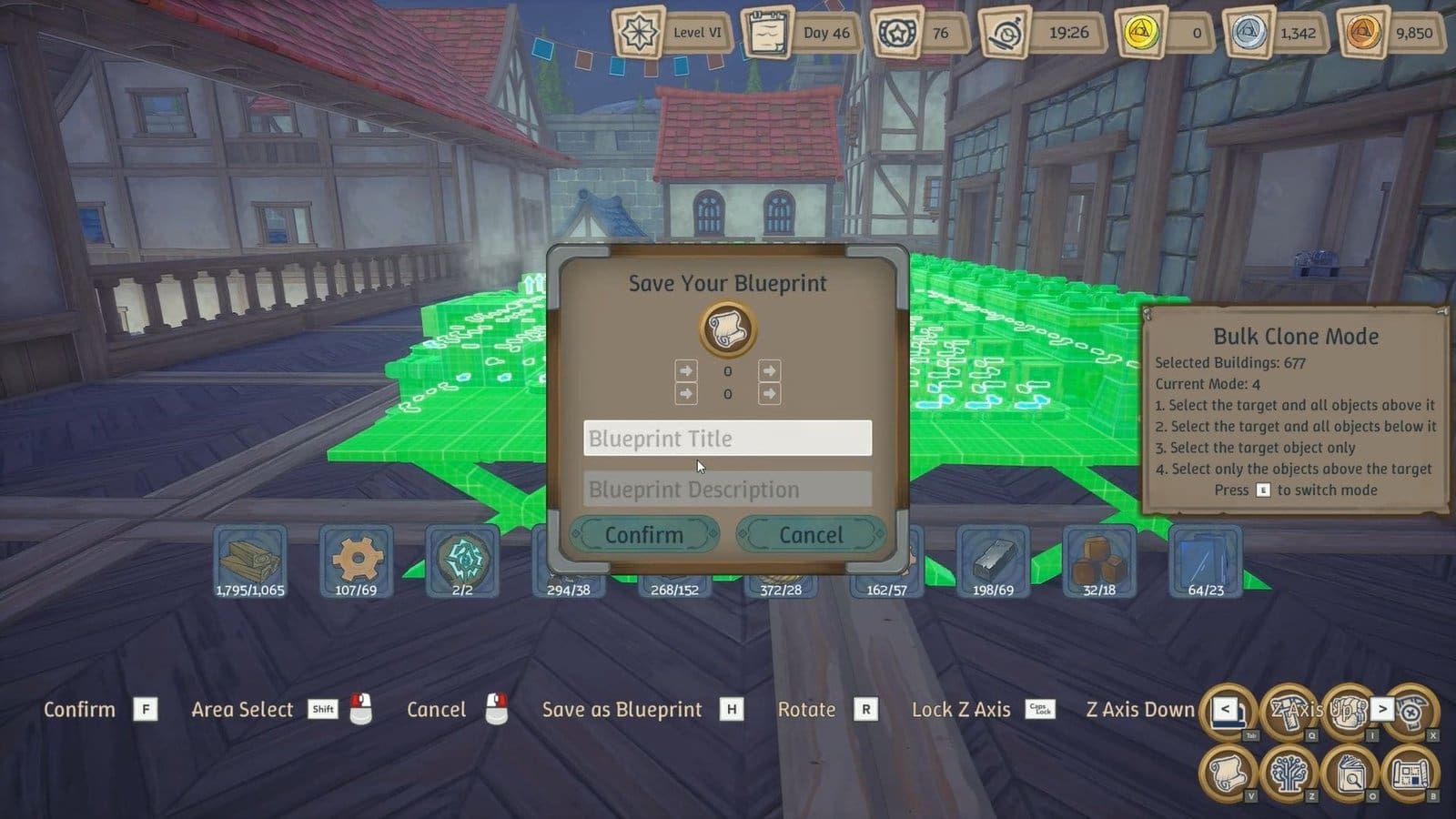
After building a structure, select the building you wish to save as a blueprint. Press the F key to confirm your selection, then press the H key to get to the blueprint menu. You get to name your blueprint and add a description to easily access it later. Click on Confirm to save your blueprint.
How to Access Blueprints
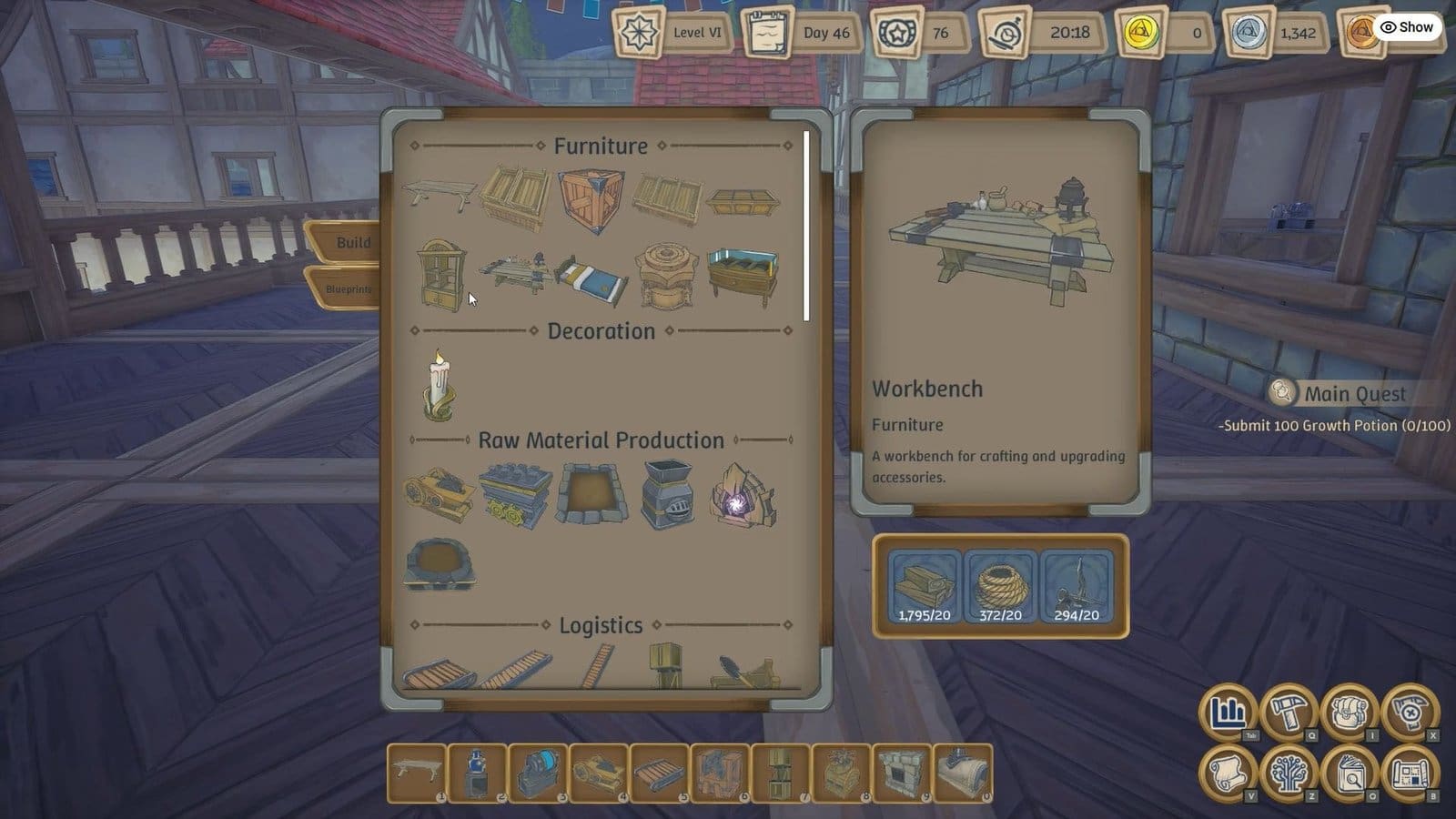
You need to head into the Build menu, then select the Blueprints tab on your left, right below the Build tab. Select it to check all your saved blueprints here. To use the Blueprint, select the blueprint and place the structure at your base. Once satisfied, click anywhere to confirm placement. This is a pretty useful way to move items in Alchemy Factory.
How to Share Blueprints
You need to access the game’s directory within your system, then find the Blueprint folder. The Blueprint files will have an .af extension. Copy these files and share them with other players. If receiving a Blueprint file, you need to save the Blueprint within the Blueprint folder, so the game is able to read the file and implement it.
FAQs
Do demo blueprints carry over?
No, demo blueprints are not detected by the game now that it is in early access.
Where is the Build menu?
Press Q to access the Build menu, then select the Blueprints tab on the left to get your existing blueprints.
How to access the Blueprint menu to save Blueprints?
You first need to select the structure and make a copy of it by pressing the F key. Only then will you get the Blueprint menu by pressing the H key.
Can I get more Blueprints from other players?
You can ask your friends to share their Blueprint files with you, or join the Alchemy Factory Discord server to find more Blueprints.
