

Key Points
- In some playthroughs, there could be a glitch where the items in the store don’t have the required space to store them.
- This is a very common bug that many players experience, and the best solution is to restart the game.
- You could also check whether you had placed the same item on different shelves, or missed a shelf or two around the store.
Supermarket Chaos does come with its fair share of problems. You will encounter one specific problem when you end up having several items that don’t have any space to store them. There are a few things you can do about it if you want to keep playing your current level.
Read More: Supermarket Chaos – Best Skills to Get First
What to Do When There’s No Storage for Excess Items in Supermarket Chaos
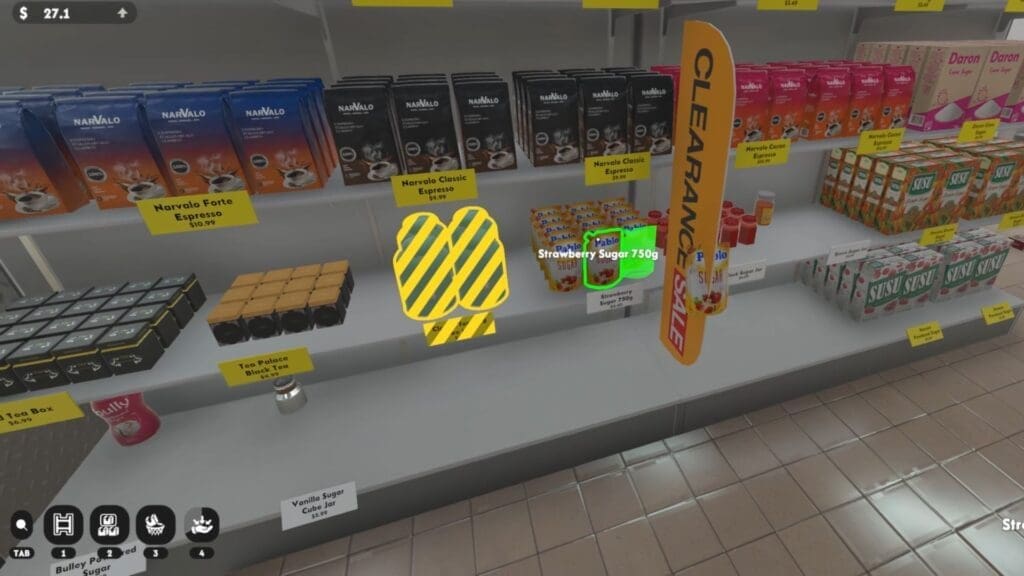
Sometimes, when arranging the shelves, it is very common to run into an issue of having too many of the same items and not enough shelves. I know I’ve run into my fair share of issues with this during some of my playthroughs. It gets worse when you realise that you can’t purchase more shelves or put the items in another location. There are a few handy things that you could try to bypass the issue at hand.
Start a New Game
The easiest solution I found that worked for me was to start a new game. Since there aren’t a lot of solutions for this problem, the best thing is to close your current game and start a new one. Yes, you have to start from scratch, but maybe the new playthrough will help segregate the items better.
Check for Duplicates
Besides this solution, you can go around and check whether you have placed similar items on different shelves, as this can take up space too. It is best to go through your skill tree and unlock the Match Finder skill to collect duplicate items so you don’t have to take up too many shelves. Some items like frozen goods can be placed across all freezers and fridges, so utilize any cold space available to sort the items.
Check for Extra Shelves
Another tip you can try is to check for extra shelves that you might have missed. There could be an empty freezer in the corner or an empty rack in one of the shelves that you might have overlooked. Take a good clean sweep at the store to find any spot that is empty and fill it up. You can also unlock the Shelf Finder skill to help you find shelves efficiently.
Read More: Supermarket Chaos – How to Get and Use Stars
FAQs
How do I know if my shelves are full?
Check the price tag in front of the shelf; if it is golden, then the shelf has been stocked up. If it is still white, then you need to find more items to fill it up.
How do I find more freezers?
Keep checking around the shop to find them; there are a few freezers in the main area, two near the bookshelf, and another by the dairy section.
What happens after stacking all the shelves correctly?
That will signal the endgame, and you can start a new game after that.
