
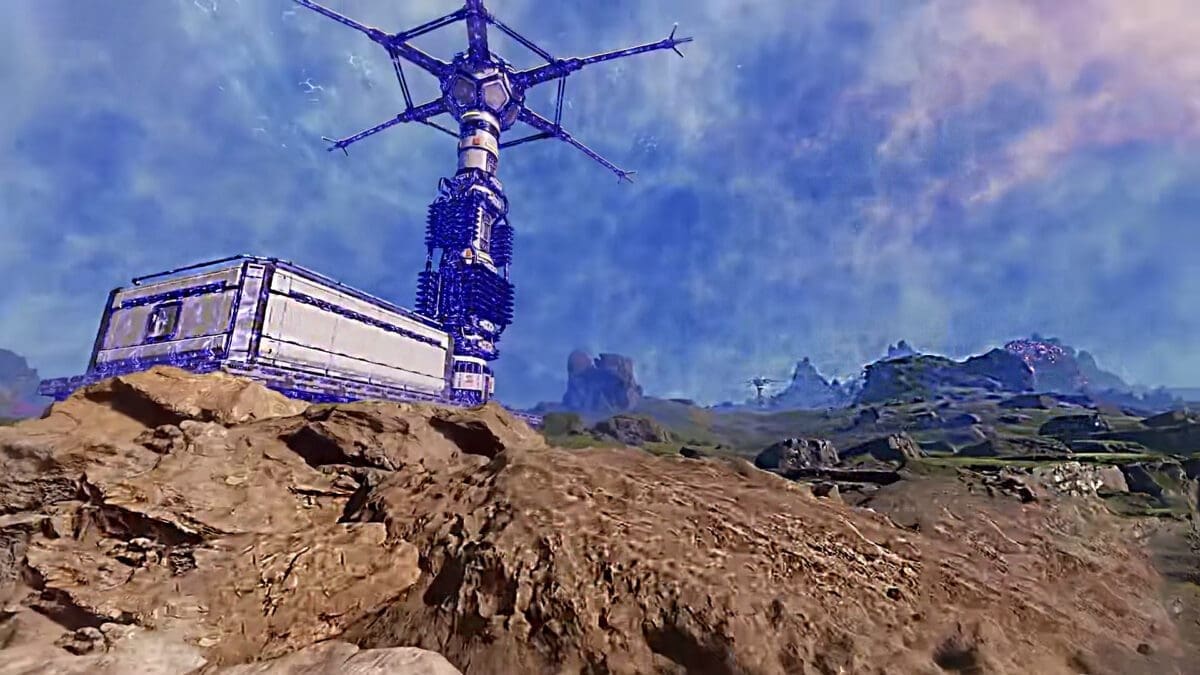
Key Points
- Blue fog around the base is a sign of infection that needs to be removed.
- The blue fog effects are not permanent; they are temporary.
- The blue fog will also influence the Production Buildings and Geo-scanners.
In short, as terrible as the blue fog is around the base, the effects are temporary. It can be removed by shooting at a specific spot on the affected or infected buildings.
StarRupture – Blue Fog Infection Overview
| Blue Fog Status | Infection |
| Effect Duration | Temporary |
| Effect Status | Making buildings inoperable |
| Solution | Removing the infected heart or cyst |
| Disinfection Time | Instant |
An infected core will show the sign of blue clouds around it. Any infected buildings will become inoperable until you remove the root cause.
Removing the Blue Fog or Cloud Around the Base
Step #1: Shooting at the Infested Heart
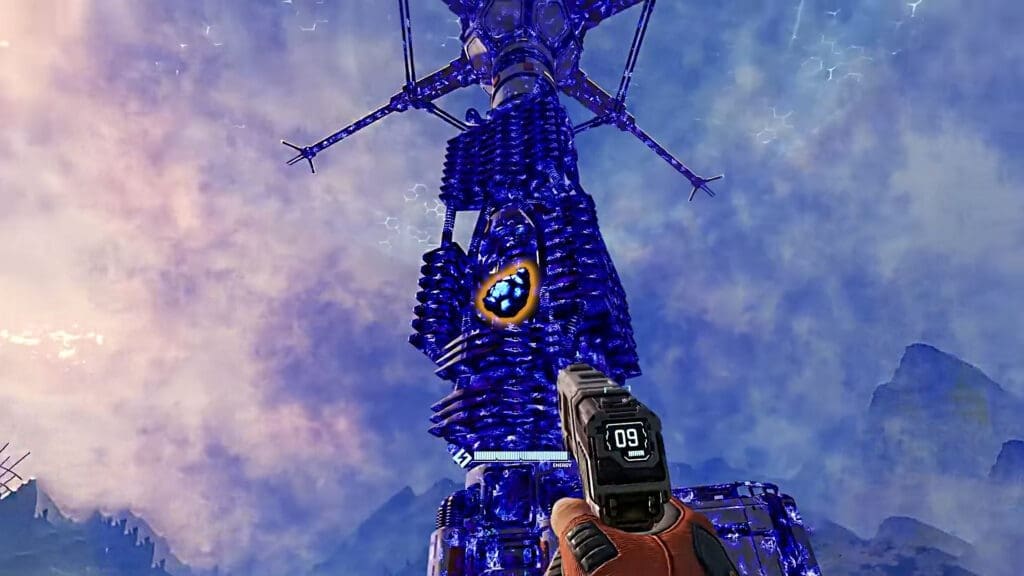
The only way to remove the blue gas around the core is by shooting the infected heart, cyst, or hives attached to the base. The hearts will be in light-blue or cyan color, making them distinct in appearance compared to the rest of the infected area.
Shooting a few rounds will make the heart burst, and the cloud around the core will get automatically removed. The difficult part of the whole ordeal is to find the heart; it can be a hard find, since the entire core tower will be in the color blue.
The best way to find the heart is to observe the color and its flickering animation. The color blue around the infected building always glows but never flickers or pulses, unlike the infected heart. Use the heart or cyst flickering or pulsing as an indicator to track down the infected spot.
Step #2: Start the Disinfection Process
After shooting the heart, walk up to the core and hold E to start the Disinfection process. It will remove the blue cloud around the base and on the machine faster. After the infection vanishes from the machines, the base will start being operable once again.
Note: You can also wait for around a minute to make the cloud disappear after shooting at the heart or cyst. If you want to fasten the process, hold down the E button to remove the contamination.
FAQs
Will I see the blue clouds on the map?
No, you will only see the blue clouds when you are on the ground. The clouds are not visible on the map, but when you hover your mouse on the Base Core, you will get a message saying Infected by aliens.
What is the cause behind the blue clouds?
It is caused by blue vermins exploding near the core. If one of them makes it to the core and attacks it, then the core will also show signs of infection, which will then cause blue clouds to appear around it.
Is the blue cloud around my base permanent?
No, they are temporary; you can remove them by just removing the infected point with your gun.
Will the Rupture remove the blue cloud around the base?
No, Rupture will not have any influence over blue cloud; it will not remove it. You must remove it manually by shooting at the flickering heart.
What does blue cloud do to the base?
The cloud will disable your shield and block your healing, leaving you vulnerable against the many enemies in the world. Everything becomes contaminated and comes to a halt; you must remove the blue fog to bring the machines to operable conditions.
