
Key Points
- You can link your 2K account to your required device via the official website.
- Linking accounts will give you access to several online features.
- You need to use the correct login credentials to access the game.
In WWE 2K26, you now get some new online features that let you customize matches or try co-op. But before jumping into that, you are required to link your 2K account with the game to access all these features. If you are new to the game or having trouble with navigating this feature, the steps to link accounts are rather simple.
How to Link 2K Account to WWE 2K26
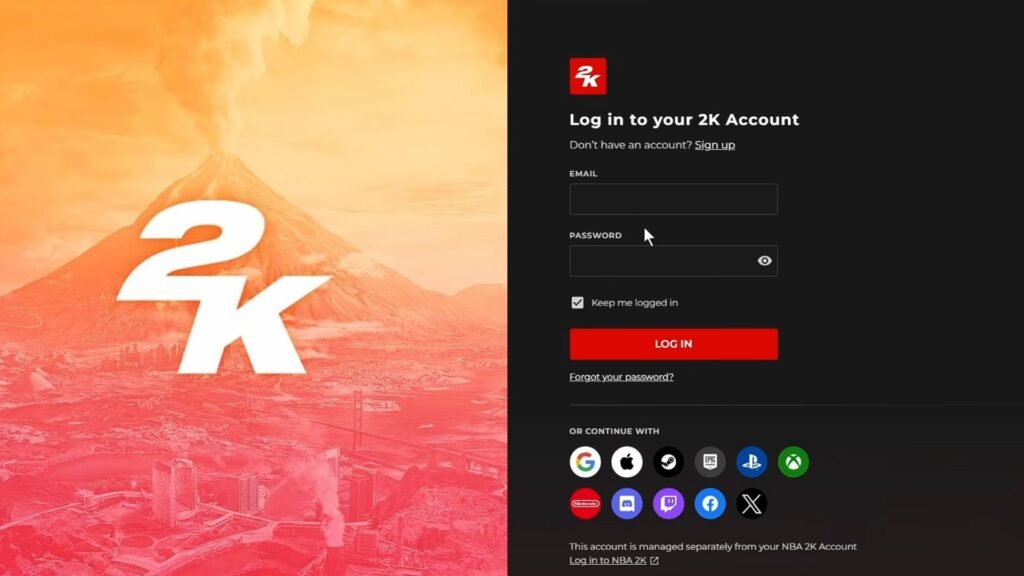
- The first step is to head over to portal.2k.com.
- Sign up or log in to your 2K account. You will require an email account if you wish to sign up for the first time.
- Under the Account Overview, select the Connections option.
- This will show you a list of all available devices where you can link your 2K account.
- It is recommended to use the same device that you plan to play WWE 2K26 on.
- Once you select the required device, log in to that device using your credentials.
FAQs
What will linking my 2K account do?
This will enable online features like co-op and custom matches, checking other custom match layouts, and more.
I forgot my 2K log-in credentials. What do I do?
Use the Forget Password option or log in using the other methods available under the log-in section. You might need to relink your account to the device if you are choosing a new log-in method.
How do I create a 2K account?
Click on the link given above and select the Sign Up option. Over here, use an email and password that is easy to remember, or select any of the device options mentioned on the screen. Then, supply all your relevant details to create an account.
I can’t log in to my 2K account. What do I do?
It could be server issues, so try again later or restart your system.
How do I unlink my account from my device?
After logging in to your 2K account on the website, navigate to the Connections option under Account Overview. Select the Disconnect option under the device you wish to unlink to remove your 2K account.
