
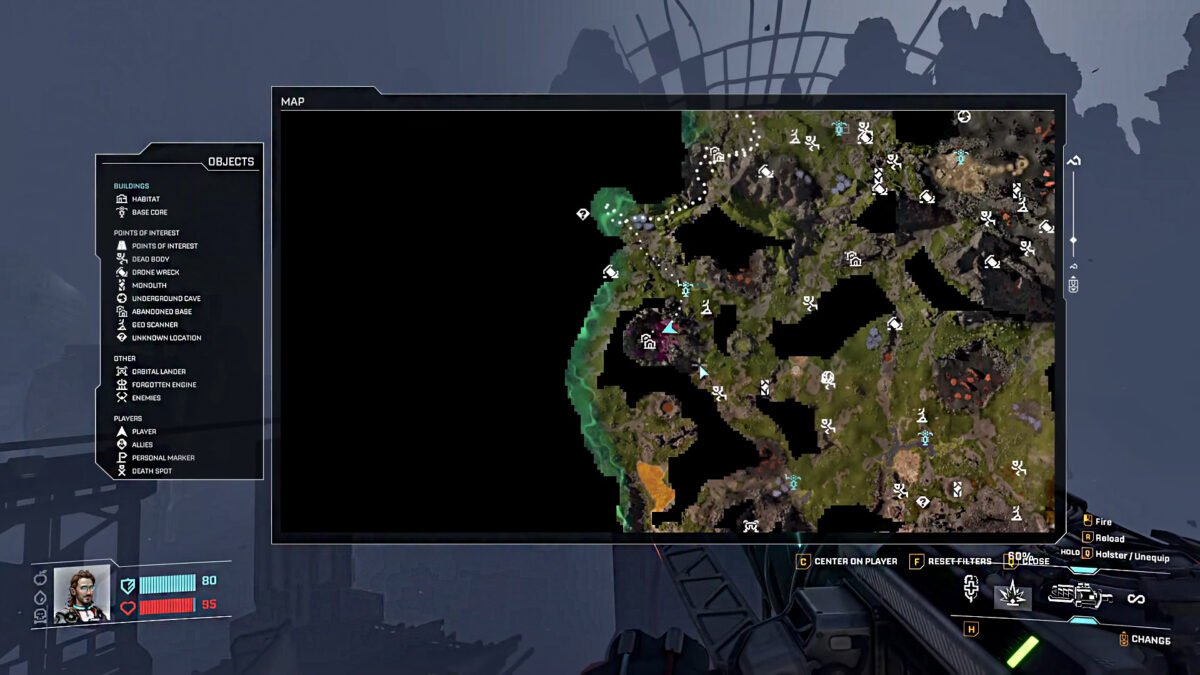
- The map will reveal every explored area prior to the unlock, and further exploration will reveal more new er areas.
- The map can be unlocked by levelling up to level 3 in the Moon Energy Corporation.
- The map will help you track down Points of Interest, Dead Body, Monolith, Drone Wreck, Underground Cave, Abandoned Base, Geo Scanner, and many Unknown Locations.
When you start StarRupture for the very first time, you will have the map feature locked. It can only be unlocked by meeting specific requirements. Overall, a map is a must-have feature for exploring the world, as it reveals almost all secrets and mysteries in the zone.
Map Overview
| Map Level Requirement | Level 3 |
| Research Tree | Moon Energy Corporation |
| Required Station | Corporate Terminal |
| Item Description | Unlocks Map |
The game goes even further and saves the data from all explored areas into its system. So when you unlock the map, it will have all the explored areas in the reveal section without having to redo everything.
How to Unlock Map in StarRupture
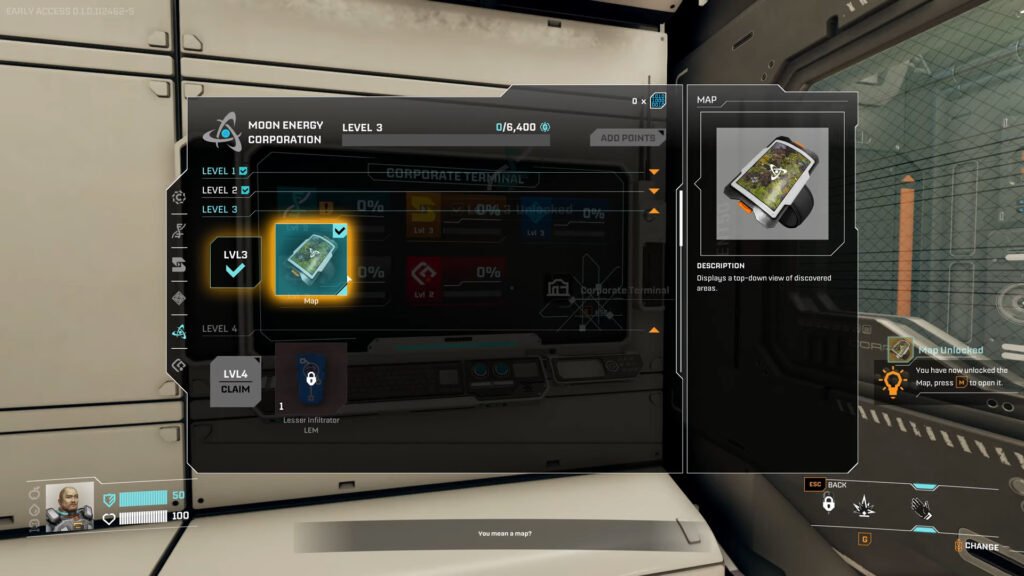
You will need 1500 Data Points to reach level 3 in Moon Energy Corporation in the Corporate Terminal. After reaching level 3, you will see the option to claim the Map under Moon Energy Corporation.
Unlike other unlocks, you don’t need to gather Basic Building Materials to build the map; it is a feature that can be opened almost immediately after claiming it. You use the key “M” on your keyboard to open up the map to see all the surroundings and keep track of many interesting landmarks.
On the map, if you takea look at the left panel, you will see all the Legend options that include your buildings and all points of interest in the area. All explored areas will automatically get revealed on the map, while the unexplored areas will be covered in shadows. This will help farming for useful materials like Titanium ore in StarRupture that much easier.
You can use the shadows as an indicator to head into the uncharted areas of the map to accidentally stumble upon something new. Once you explore an interesting landmark, the map will save the spot so you can come back to the place later on.
FAQs
Should I save the Map upgrade for later?
While yes, you can save the upgrade for later, getting it at an earlier playthrough will help you fasten the explorations. You will easily skip the areas that have been explored and focus on the unexplored regions of the game.
Why can’t I open up the Map in StarRapture?
You will have to build a Corporate Terminal and spend Data Points to unlock the option to view the map. Focus on gathering a good amount of Data Points to unlock the option to get the map in the game.
What can I view on a map?
On the map, you can view your Habitat and Base Core. Along with the basics, the map will also help you with Points of Interest, Dead Body, Monolith, Drone Wreck, Underground Cave, Abandoned Base, Geo Scanner, and many Unknown Locations. It also reveals enemies, allies, death spots, player location, and many more.
